Power the clock
Use the 5 V / 2.0 A adapter; AAA cells are settings backup only.
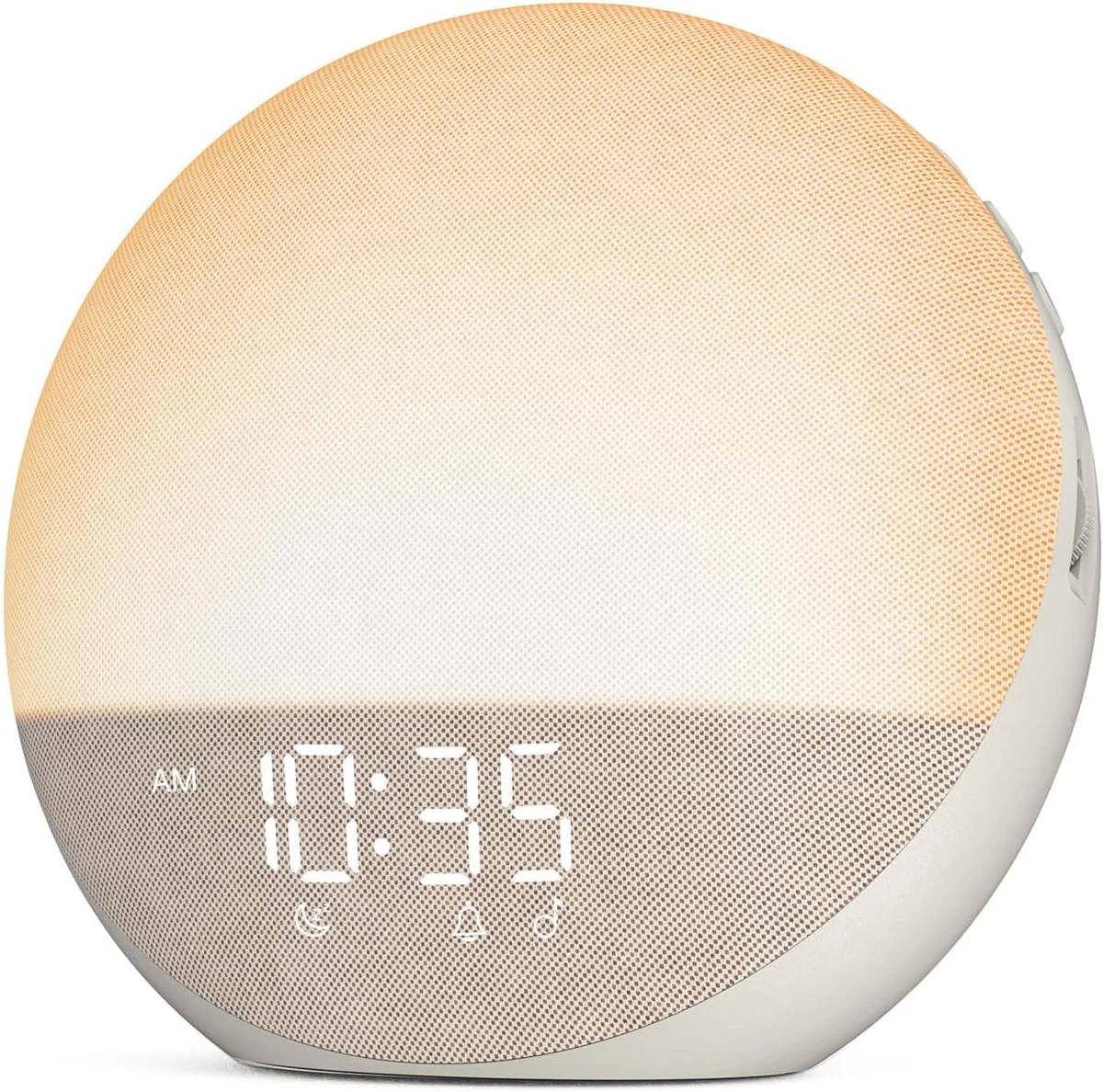
Exact-Model Sunrise Alarm Review
H03 combines an adjustable 5–60-minute sunrise with physical controls, three wake modes, 25 sleep sounds and Bluetooth playback. Its two AAA cells do something much narrower: the manual says they preserve settings, not the morning alarm.
Bottom line
Choose H03 for a mains-powered, app-free bedside routine with adjustable light timing. Skip it when outage operation, two independent alarms, an app schedule or wake-to-Bluetooth audio is required.
Desk-researched from Odokee’s H03 manuals, official product material and setup video. No hands-on, laboratory, medical-outcome, durability or current-price claim is implied.
Exact retail entity
Odokee H03 in PuttyConfirm ASIN B0DGXD6WVW, the H03 label, color, required 5 V / 2.0 A adapter, seller and current return terms before ordering.Check current availabilityCritical power boundary
AAA cells save settings onlyThe exact-model manual says the display goes blank and the preset alarm will not operate on battery backup alone.Read the power warningCompare the requirement
Sunrise alarm clocksCompare light timing, alarm schedules, audio sources, app dependence and outage behavior across current choices.Open the buying guideQuick Verdict
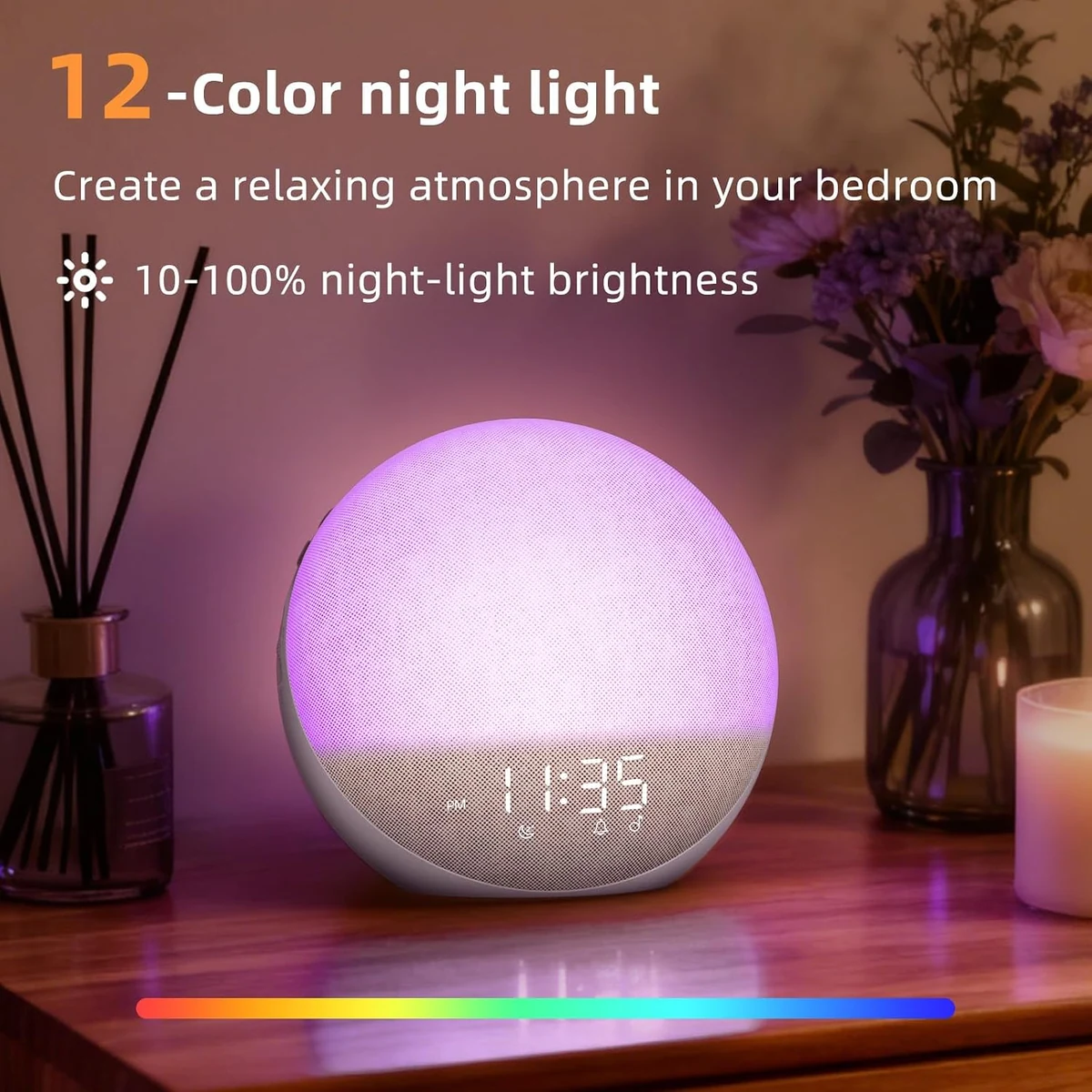
The Odokee H03 makes sense when the buyer wants several bedtime and morning functions without putting an app in charge of the alarm. Its manual documents a sunrise that can begin from five to 60 minutes before the chosen alarm time. The wake event can use light alone, sound alone, or both. At night, the same unit can play one of 25 sleep sounds, accept Bluetooth audio, show one of 12 night-light colors, and reduce the clock display all the way to zero.
Those features are not one programmable library. The seven alarm tones form one source list, the 25 sleep sounds form another, and Bluetooth is a playback mode. Odokee’s alarm-setting instructions list the seven built-in tones; they do not document a phone playlist, Bluetooth stream, or all 25 sleep sounds as wake sources. A buyer who wants custom wake audio should not infer it from the presence of a speaker.
The more serious limit is power. The exact H03 operating manual describes two AAA cells as settings backup. It says the screen goes blank and the preset alarm will not go off while the clock is running only on those cells. An official H03 marketing page and a general Odokee journal article use language that suggests stronger outage protection. This review follows the exact-model manual for operation and preserves the conflict rather than hiding it. Anyone who must wake through an outage should choose a documented battery-operating alarm or keep one as a second path.
H03 is therefore a coherent choice for a regular, mains-powered bedroom where one documented alarm schedule is enough and physical controls are preferred. It is a poor match for two independent wake times, remote scheduling, battery portability, custom streamed wake audio, or a buying decision that depends on measured brightness or loudness. Odokee publishes setting scales, not lux or decibel results, so this page turns those unknowns into owner checks instead of performance promises.
Exact Model Boundary
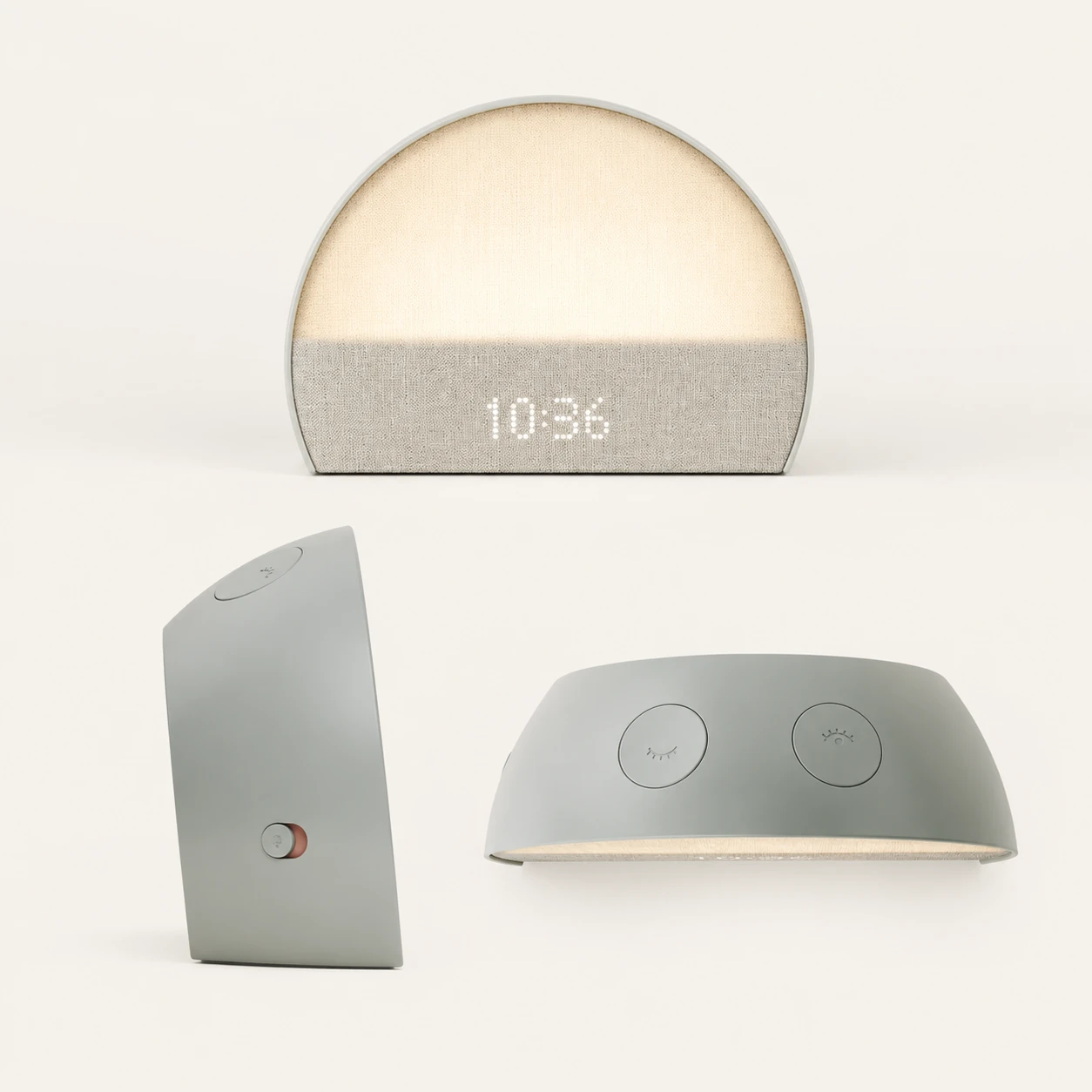
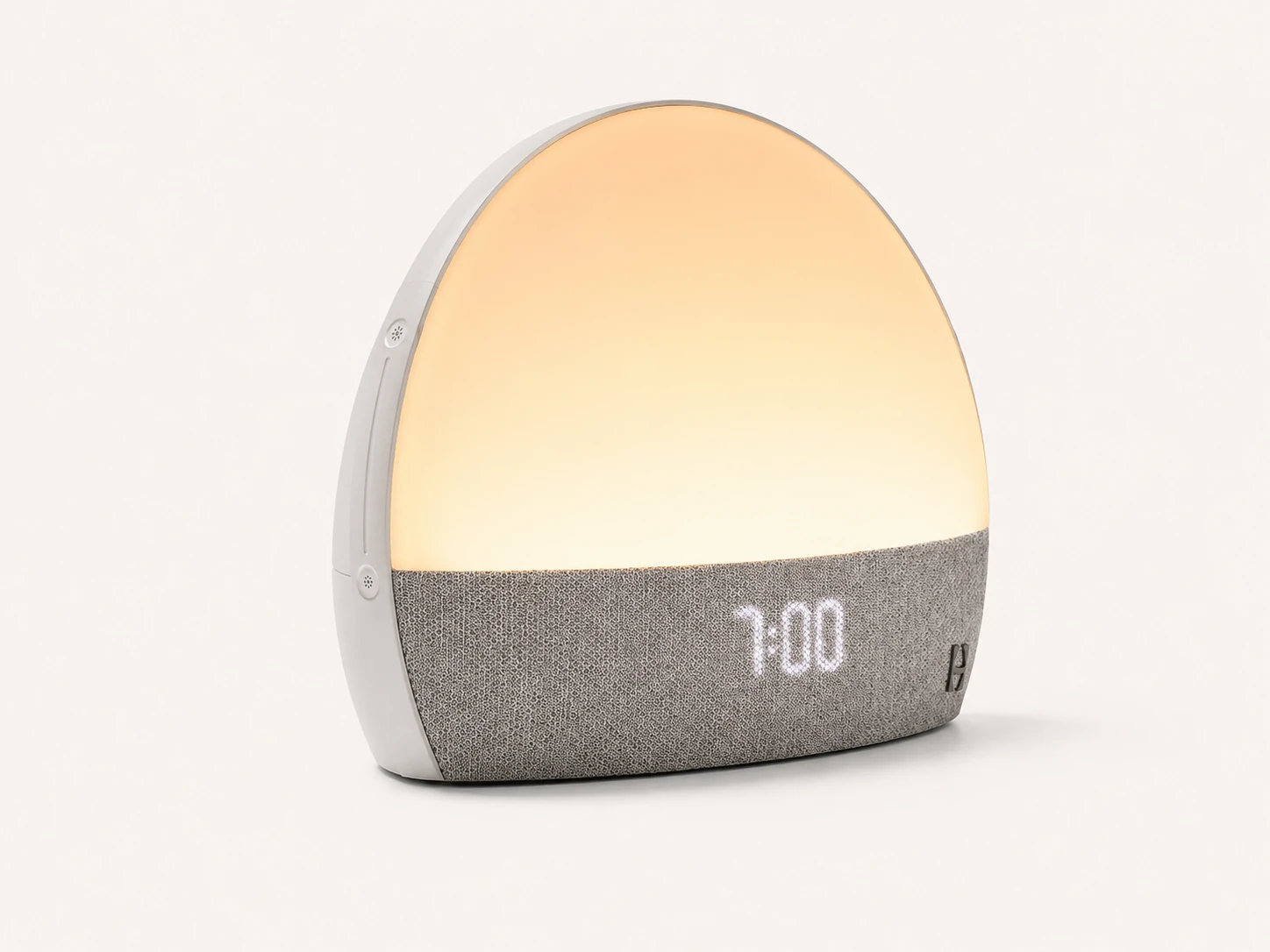
This page reviews the Odokee H03 sold through the exact Amazon entity ASIN B0DGXD6WVW. The product photographs supplied for the page show the H03 in the Putty finish. Odokee’s product material presents several colorways, but color similarity does not establish that a listing with a different model suffix uses the same controls or firmware. In particular, an H03-1 name should not be collapsed into H03 unless Odokee connects the two in exact documentation.
That identity discipline matters because the search results contain catalog pages that attach features such as FM radio to an apparent H03. The official H03 manual used here does not document FM radio. It documents one alarm-setting workflow, seven alarm tones, 25 separate sleep sounds, Bluetooth playback, a 12-color night light and physical controls. Importing a feature from another round clock would turn a useful review into a misleading family summary.
The retailer check should therefore use more than the hero photograph. Match the product label to H03, compare the visible controls with the official manual, confirm the adapter requirement, and make sure the seller’s included items and return terms belong to the same listing. If the manual inside the box shows a materially different setup flow, pause before relying on this page’s instructions.
| Field | H03 evidence used here | Do not import |
|---|---|---|
| Reviewed model | Odokee H03, pictured in Putty | H03-1 or an unnamed similar lamp |
| Retail entity | Amazon ASIN B0DGXD6WVW | A similar round clock with another ASIN |
| Alarm schedule | One schedule documented in the manual | A dual-alarm claim from another listing |
| Wake sources | Seven built-in alarm tones, plus light modes | FM radio, custom streaming or all sleep sounds as alarms |
| Power | 5 V / 2.0 A adapter; AAA settings backup | Portable battery operation |
| Evidence type | Manufacturer documents and official video | TOPCLOCKS hands-on or laboratory results |
Setup and Controls
H03’s setup path stays on the device. Connect the 5 V / 2.0 A adapter, choose 12- or 24-hour time, set the clock, and then build the alarm. The two AAA cells can be installed to preserve settings, but they do not replace the adapter. No account, Wi-Fi network or phone application appears in the documented alarm flow.
The right-side selector behaves like a small state machine rather than a single alarm button. It moves through alarm sound, alarm volume, sunrise brightness and sunrise duration. When the choices are complete, the selector needs to return to LOCK. Time-setting mode also exits after eight seconds without an action. Neither point is difficult once learned, but both can explain a morning that was configured differently from what the owner intended.
Separate controls also distinguish stopping today’s alarm from disabling the schedule. Stopping the active alarm allows it to recur at the same time the next day. The alarm on/off control disables it completely. Before bed, the useful visual check is not “I remember setting it.” It is the current time format, correct alarm time, visible alarm state, intended wake mode, chosen tone and volume, sunrise settings, and selector resting at LOCK.
A short daytime rehearsal is the safest introduction. Set an alarm a few minutes ahead, watch which signal starts first, let the alarm reach its sound stage, use snooze once, then stop it. This is a procedure for the owner, not a test conducted for this review. It turns the manual’s control sequence into a habit before the clock is trusted for work, school, travel or caregiving.
Use the 5 V / 2.0 A adapter; AAA cells are settings backup only.
Confirm 12/24-hour format, alarm time, mode, tone and volume.
Return the right-side selector to LOCK after setting brightness and duration.
Practice snooze, stop and complete alarm-disable actions while fully awake.
Sunrise Sequence
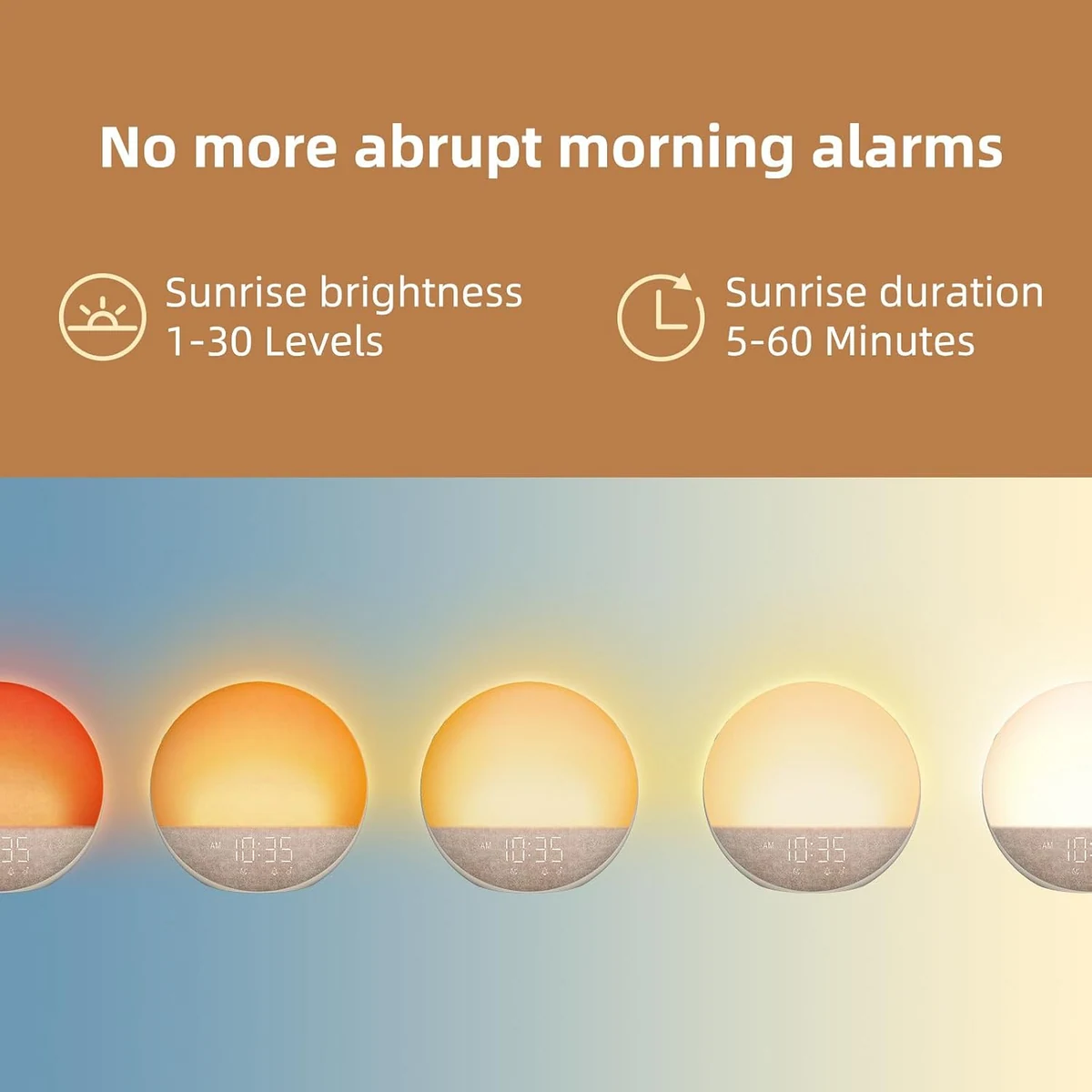
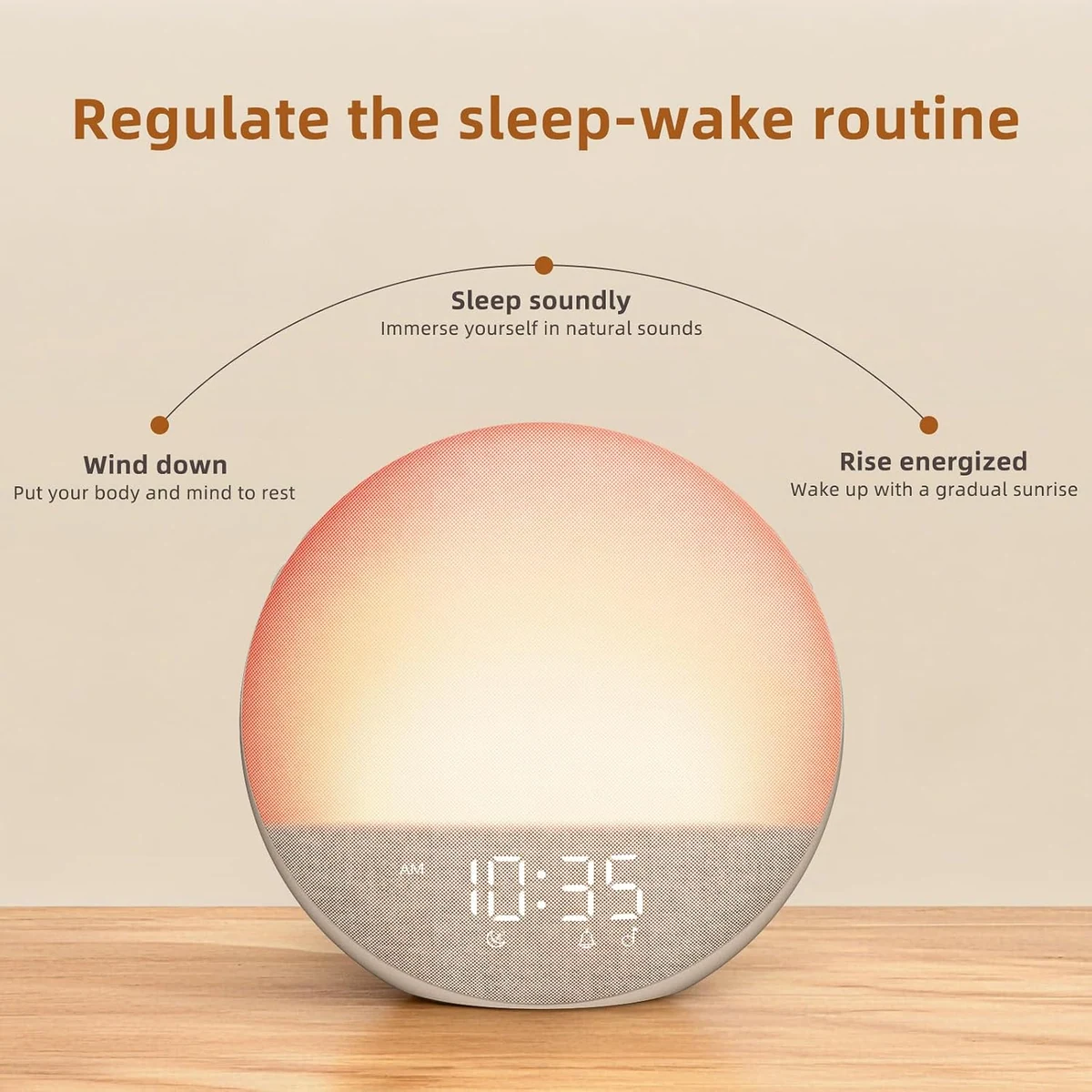
Odokee documents a sunrise duration from five to 60 minutes, with 30 minutes as the default. The light is described as moving gradually from deep red toward daylight. Sunrise brightness uses levels 01 through 30, and the documented default is 15. Those two controls answer different questions: duration determines how early the sequence begins, while brightness determines the chosen endpoint.
For a 6:30 a.m. alarm with the default 30-minute duration, the programmed sequence would begin at 6:00. A five-minute choice concentrates the change near the deadline; a 60-minute choice introduces light much earlier. The manual establishes the timing range, not which duration will suit a particular sleeper. Someone sensitive to early light may prefer a shorter lead, while a person who wants a slower room transition may try a longer one. Both are setup hypotheses, not guaranteed outcomes.
The 01–30 brightness scale should not be converted into a claim about bedroom illumination. Odokee does not provide a lux figure at the pillow, a distance-based light measurement, a spectral chart, or an independent wake rate in the sources used here. Room size, curtain leakage, the direction of the clock and obstacles on the nightstand can change what reaches closed eyes. Begin near the documented middle rather than automatically selecting level 30, hold placement steady, and change one variable at a time.
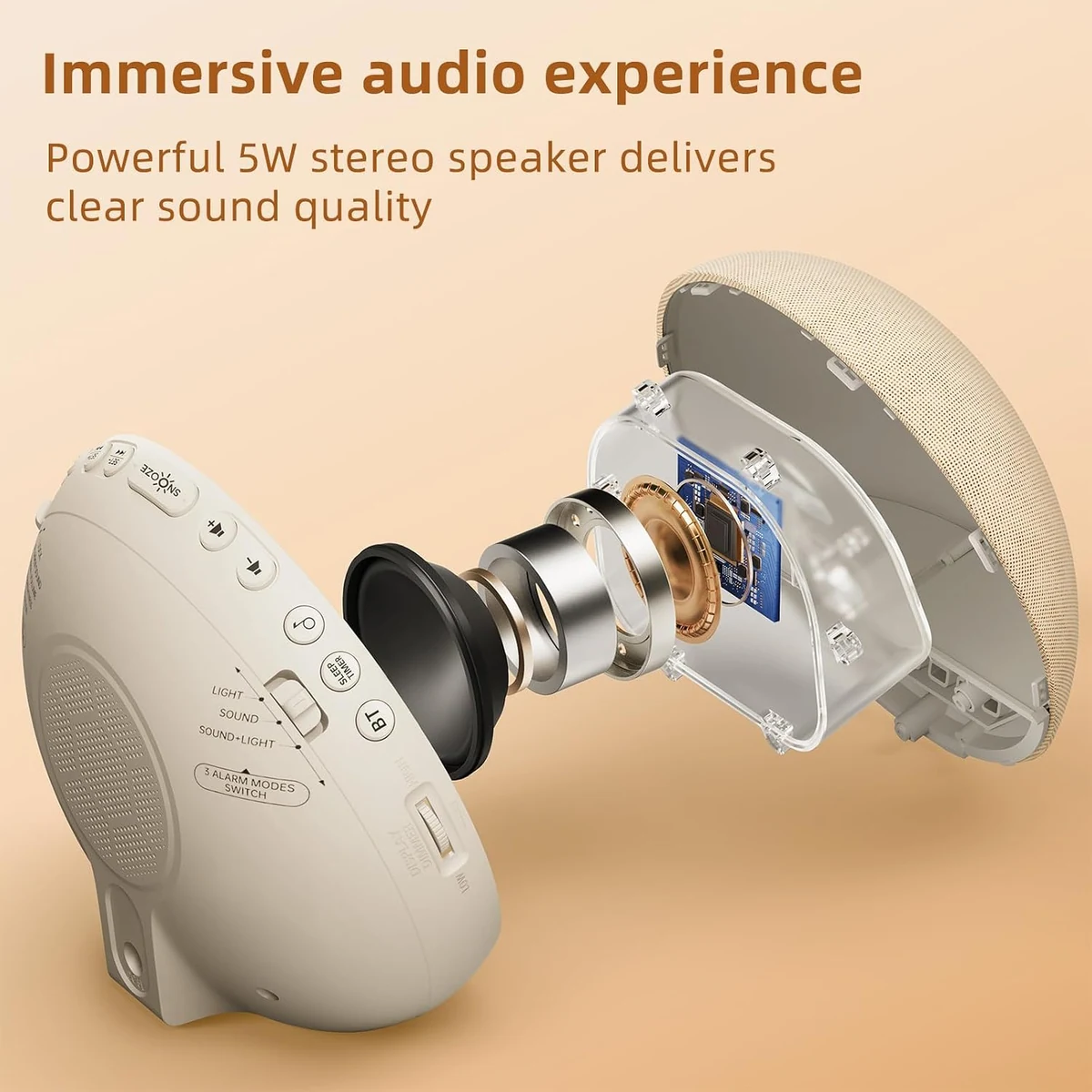
The three wake modes make the light optional rather than mandatory. LIGHT uses the visual route, SOUND uses a built-in alarm tone, and SOUND+LIGHT combines them. “Sunrise alarm” is not one fixed experience here. The owner can make gradual light the primary cue, let sound carry the deadline, or keep both signals active while learning the routine.
Alarm Tones and Snooze
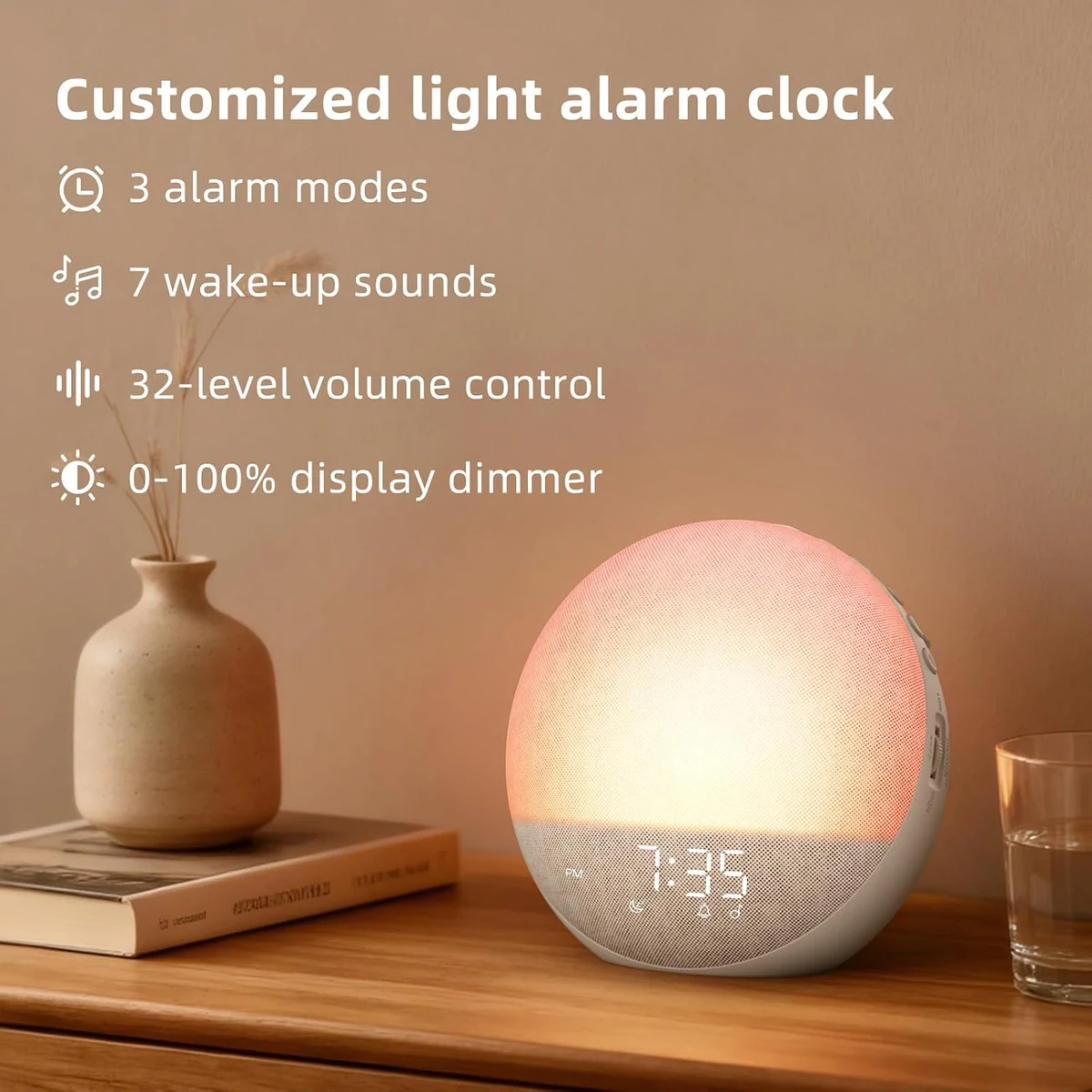
The H03 manual lists seven alarm tones: Birds Chirping, Piano, Flute, Forest, Wave, Beep and Buzzer. Alarm volume runs from 01 to 32, with 16 as the documented default. A scale with 32 positions offers adjustment, but it is not a decibel measurement. The source set contains no verified sound level at a stated distance, so the highest number cannot be translated into “loud enough for every heavy sleeper.”
The snooze interval is nine minutes. What happens to the light during those nine minutes depends on the wake mode. In LIGHT mode, snooze turns the light off; it returns to the preset brightness when the interval ends. In SOUND+LIGHT mode, the light stays on while sound is postponed. That difference can matter more than the interval itself. One sleeper may want darkness during a brief extension, while another may prefer the room to remain bright so snooze does not become a full reset.
If the active alarm is not stopped, it lasts for 30 minutes. Stopping the current alarm does not erase tomorrow’s occurrence; it allows the schedule to recur at the same time the next day. The dedicated alarm on/off control is the step that disables it completely. Rehearse those actions while awake so “nine more minutes,” “stop this morning,” and “turn the alarm off” are not treated as the same command.
| Mode | Primary signal | Nine-minute snooze behavior | Best reason to choose it |
|---|---|---|---|
| LIGHT | Sunrise light | Light switches off, then returns at the preset brightness | Sound should not be part of the wake event |
| SOUND | One of seven built-in tones | Sound is postponed for nine minutes | Light is unnecessary or unwelcome |
| SOUND+LIGHT | Combined light and tone | Light remains on while sound is postponed | Light should lead and sound should protect the deadline |
Sleep Audio and Bluetooth
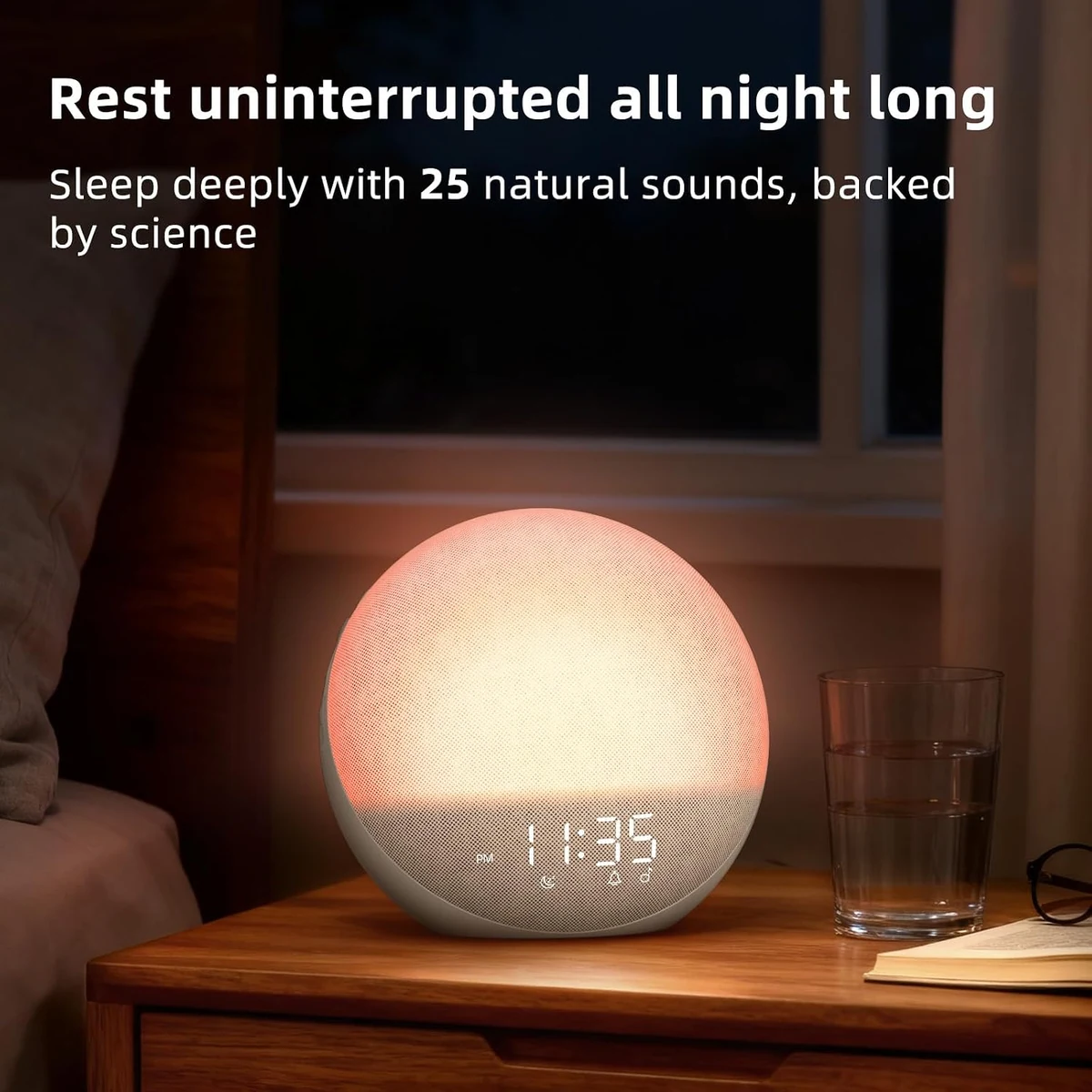
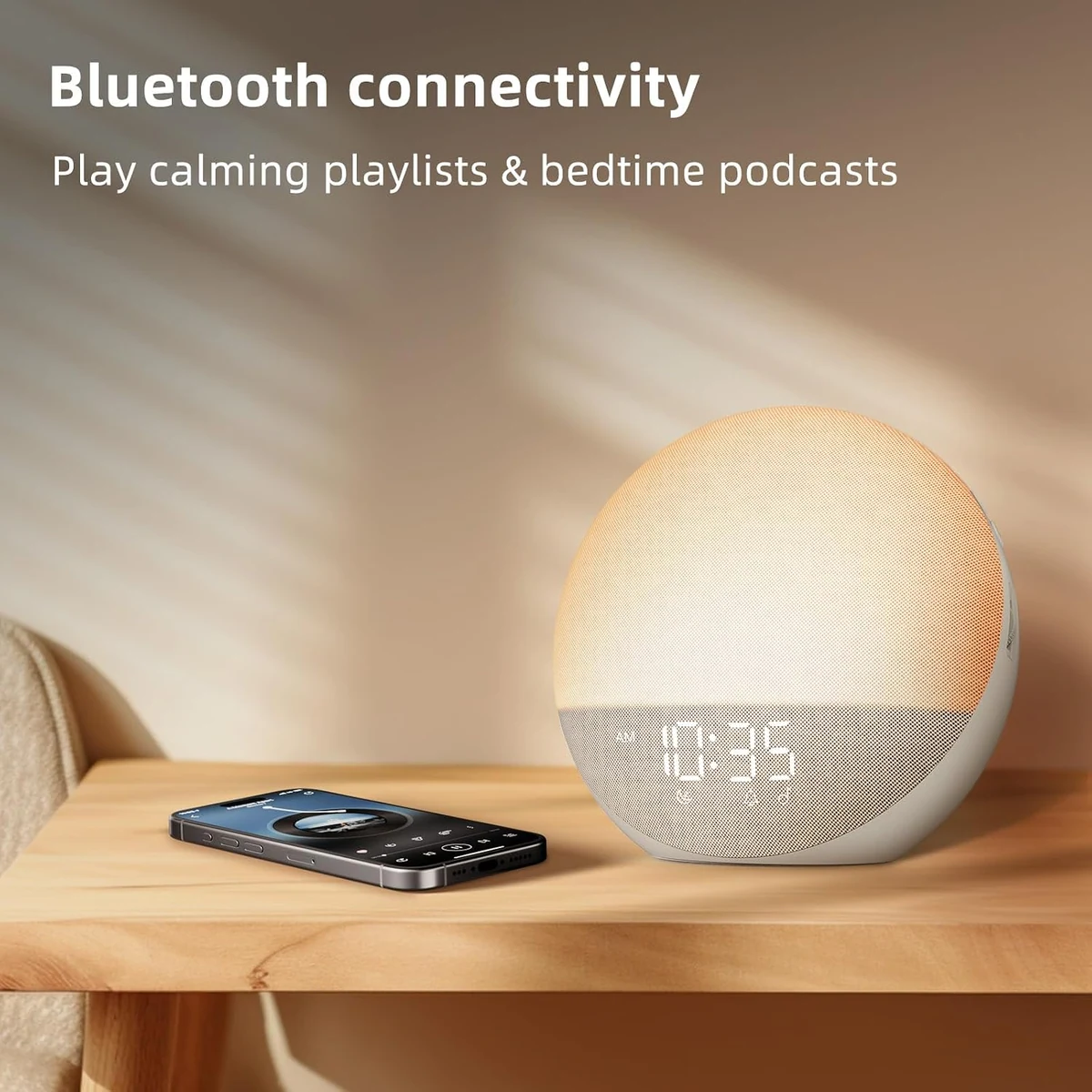
The H03 has 25 built-in sleep sounds, with a sleep-sound volume scale from 01 to 32. It also appears to phones as a Bluetooth device named H03. The official material specifies a 5 W RMS speaker and suggests a Bluetooth distance of up to 10 meters, or 33 feet. These details describe bedtime playback. They do not expand the seven-tone alarm menu.
The common mistake is to read “Bluetooth sunrise alarm” as “wake to a phone playlist.” The manual’s alarm-source sequence instead lists the seven built-in tones. It does not document Bluetooth music, a podcast, or the 25 sleep sounds as selectable wake audio. Buy H03 only if its built-in alarm choices are acceptable on their own.
Bluetooth also has ordinary connection boundaries. The manual says the mode turns off after five minutes if it fails to connect. An incoming call pauses playback. Neither behavior threatens an already configured built-in alarm in the documentation, but each can interrupt a phone-based bedtime listening session. Pair the phone within the suggested range and confirm playback before settling into bed rather than treating the 33-foot figure as a guarantee through every wall or obstruction.
The 5 W RMS specification is useful for identifying the hardware, not judging sound quality. The sources provide no frequency-response curve, distortion figure, measured bedside volume or comparison with a dedicated sound machine. A buyer who cares about low-frequency masking, speech clarity or maximum volume should listen during the return window and keep the judgment separate from whether the alarm sequence itself is suitable.
Display, Night Light and Timer
H03 gives the clock display a 0–100% dimmer range. At zero, the digits can disappear in a dark room. That makes “the screen is blank” an ambiguous observation: the dimmer may simply be at its minimum. The troubleshooting path should begin with the display setting and power connection rather than assuming the clock has failed.
The colored night light is a different output. Odokee documents 12 color choices and a brightness range from 10% to 100% while the night light is active. The display can therefore be set to zero while a chosen night-light color remains visible, but the cited instructions do not document a zero-brightness position for an active night-light mode. Turn that mode off when total darkness is required.
The sleep timer offers 30, 60, 90, 120, 180 and 240 minutes, plus OFF. It can govern an active sleep sound, Bluetooth playback and the night light. If audio and light are running together, one timer applies to both. The manual does not provide separate end times, so a plan such as “sound for 30 minutes, night light for two hours” is not a documented single-routine option.
The shared timer matters when light and sound need different end times. Decide which function needs the longer period. If the light should end before the sound, or the sound before the light, one of them must be controlled separately rather than left under the same H03 timer. Synchronized shutdown is available; independent timing is not documented.
Power and Backup Boundary
The H03 is a mains-powered clock. Its documented supply is a 5 V / 2.0 A DC adapter with an input range of 100–240 V AC at 50/60 Hz. Two AAA batteries can preserve settings when mains power disappears. The manual is explicit about the operational limit: on battery power alone, the display is blank and the preset alarm will not go off.
Odokee’s own web copy creates a contradiction. The official H03 product page describes the battery compartment in language that suggests the alarm survives a power cut, and a general brand journal page makes a similar promise. Because the exact-model operating manual explains what the device actually does in backup mode, this review uses the manual as the controlling source. The disagreement remains visible because a buyer deserves to know that two official sources do not align.
If outage operation is a purchase requirement, request written confirmation from Odokee for the exact H03 revision being sold. Even with a reply, keep an independent battery-operating alarm until the behavior has been verified safely. Do not make an important flight, medical shift or caregiving handoff the first time the product encounters a power interruption.
The wide 100–240 V adapter input also does not make H03 a portable battery alarm. A trip still raises plug-shape, adapter, packing and warranty questions, while the clock itself still needs mains power to show the display and run its alarm. Travelers who need a clock that works away from an outlet should take a product whose manual documents battery operation, not settings retention.
| Source | What it says or implies | Editorial interpretation |
|---|---|---|
| Exact H03 manual | AAA cells save settings; display is blank and preset alarm does not operate on battery power alone | Controlling operational instruction |
| Official H03 product page | Marketing language suggests stronger power-cut protection | Conflicting claim; do not use to promise outage waking |
| General Odokee journal | Describes alarm firing under backup | Generic brand copy cannot override the exact-model manual |
| Buyer action | Needs outage-safe waking | Use a separately documented battery alarm and seek exact-revision clarification |
Bedroom Scenarios and Buyer Fit
A regular work or school morning. H03 is easiest to justify when one alarm time covers the routine and the clock can remain connected to a dependable outlet. Start with the default 30-minute sunrise and mid-range settings, use SOUND+LIGHT while learning the response, and confirm the alarm state and LOCK position before bed. After several ordinary mornings, the owner can decide whether light-only is realistic or whether sound should remain the deadline.
A shared bed. The adjustable sunrise duration is useful because the first visible light can begin as little as five minutes before the alarm rather than a fixed half hour. Yet a shorter duration is not automatically kinder: brightness, clock direction and the partner’s sensitivity still matter. Keep the clock on the intended sleeper’s side, begin below the maximum and change either duration or brightness—not both—between mornings.
A bedroom that needs darkness. Setting the display to 0% removes the glowing digits. The night light is separate and has a documented 10% minimum while active, so it should be turned off rather than merely reduced when complete darkness is the goal. A blank display during normal mains use can be intentional; a blank display during an outage is part of the battery limitation.
An irregular schedule. The manual documents one alarm workflow, not two independent alarms or a weekly calendar. A person alternating early shifts, late shifts and weekends can edit the time, but the risk moves from light quality to schedule management. If two visible alarm times or app-managed recurrence would prevent mistakes, choose that function directly instead of asking one H03 schedule to behave like a planner.
A sound-at-night routine. The 25 sleep sounds and Bluetooth playback can reduce the number of devices on the nightstand. The fit depends on accepting a single shared sleep timer when light and audio run together. It also depends on treating the seven alarm tones as the wake menu. A phone stream that sounds pleasant at bedtime is not documented as tomorrow’s alarm source.
A high-consequence morning. H03 can be the light layer, and one of its built-in tones can provide an audible layer. It should not be the only path until the owner has rehearsed the controls and observed several normal mornings. Where mains loss is plausible, the exact manual makes a separate battery alarm especially important. Redundancy here is not a verdict on sunrise waking; it covers a documented power boundary and an individual response that no source can guarantee.
Owner Acceptance Check
The following check belongs to the future owner. It is not evidence that TOPCLOCKS tested the H03. Keep a dependable second alarm active until the clock, room and sleeper have produced a repeatable result. A return window is the right time to find a mismatch; an early flight or critical shift is not.
At the end of the acceptance period, ask four concrete questions. Did the selected sunrise lead begin at a comfortable time? Did one of the seven alarm tones provide an acceptable deadline? Did the physical LOCK and alarm-state checks become routine? Can the household tolerate the clock’s mains dependency? A negative answer points to a specific alternative requirement; it does not call for random changes to every setting.
Specifications
| Specification | Documented value | Buying meaning |
|---|---|---|
| Sunrise duration | 5–60 minutes; default 30 | Start time can be moved closer to or farther from the alarm |
| Sunrise brightness | 01–30; default 15 | Setting scale only; no lux result is supplied |
| Wake modes | LIGHT, SOUND, SOUND+LIGHT | Light and sound can be used separately or together |
| Alarm schedules | One workflow documented | Do not assume dual or weekly scheduling |
| Alarm tones | 7 built-in choices | Separate from the 25 sleep sounds and Bluetooth |
| Alarm volume | 01–32; default 16 | No decibel figure or heavy-sleeper guarantee |
| Snooze | 9 minutes | Light behavior differs by wake mode |
| Alarm duration | 30 minutes if not stopped | Current alarm eventually ends automatically |
| Sleep sounds | 25; volume 01–32 | Bedtime sources, not documented as alarm-tone replacements |
| Bluetooth | Device name H03; suggested up to 10 m / 33 ft | Playback mode; disconnects after five failed-connection minutes |
| Speaker | 5 W RMS | Hardware rating, not a sound-quality or loudness measurement |
| Display dimmer | 0–100% | Clock digits can go fully dark |
| Night light | 12 colors; 10–100% brightness | Active night light has no documented 0% setting |
| Sleep timer | 30/60/90/120/180/240 minutes or OFF | One timer governs jointly active audio and night light |
| Power | 5 V / 2.0 A DC; adapter input 100–240 V, 50/60 Hz | Mains operation is required |
| Backup cells | 2 × AAA | Settings backup; display and alarm do not operate on cells alone |
| Time display | 12- or 24-hour | Confirm AM/PM when using 12-hour format |
| Approximate size | About 7 in across and 3.8 in deep; under 2 lb | Recheck exact sold variant before ordering |
| Manual service wording | 45-day money-back and 18-month free replacement | Time-sensitive and channel-dependent; verify current terms |
These are manufacturer statements, setting ranges and operating instructions. They are not TOPCLOCKS measurements. Packaging, color, included accessories, seller eligibility, service terms and the exact revision can change, so compare the supplied manual and current seller information at purchase.
FAQ
Yes, according to the H03 manual’s operating flow. Stopping the current alarm allows it to recur at the same time the next day. Use the separate alarm on/off control when the schedule should be disabled completely.
The display dimmer runs from 0% to 100%, so a zero setting can intentionally hide the digits. Check the dimmer and mains connection before treating a blank face as a fault. During battery backup alone, a blank display is the documented behavior.
Not through two independently documented timers. When the night light and an audio function are active together, the selected sleep timer applies to both. One function must be managed separately if it needs a different endpoint.
Yes. Both formats are documented. When 12-hour time is selected, verify the morning/evening state as part of the bedtime alarm check.
The cited H03 sources do not establish that equivalence. Match the base model label, manual, controls and exact retail listing instead of transferring features from a suffix or similar photograph.
The cited H03 specifications do not provide the lux, spectrum, certification or clinical evidence needed to present it as a medical or SAD device. Treat it as a consumer sunrise alarm and bedside light, not a treatment.
The manual says Bluetooth turns off after five minutes when it cannot establish a connection. Pair the phone within the suggested range and confirm playback before beginning a bedtime session.
An incoming call pauses Bluetooth playback according to the manual. That matters for bedtime listening, but it does not turn phone audio into a documented wake source.
No universal seller guarantee should be inferred. Those periods appear in the manufacturer manual, but return and replacement terms are time-sensitive and channel-dependent. Check the current manufacturer policy and the exact seller’s terms before ordering.
Primary Sources
The exact-model manuals control operational statements in this review. The product page and journal are retained where their battery-backup language conflicts with the manual. Current price, availability, seller, rating and retailer return claims are deliberately excluded. Research checked September 2, 2026.