Audience
Alarm clocks for kids
Compare visual trainers, learning clocks, school alarms, and safe placement.
Compare children’s clocks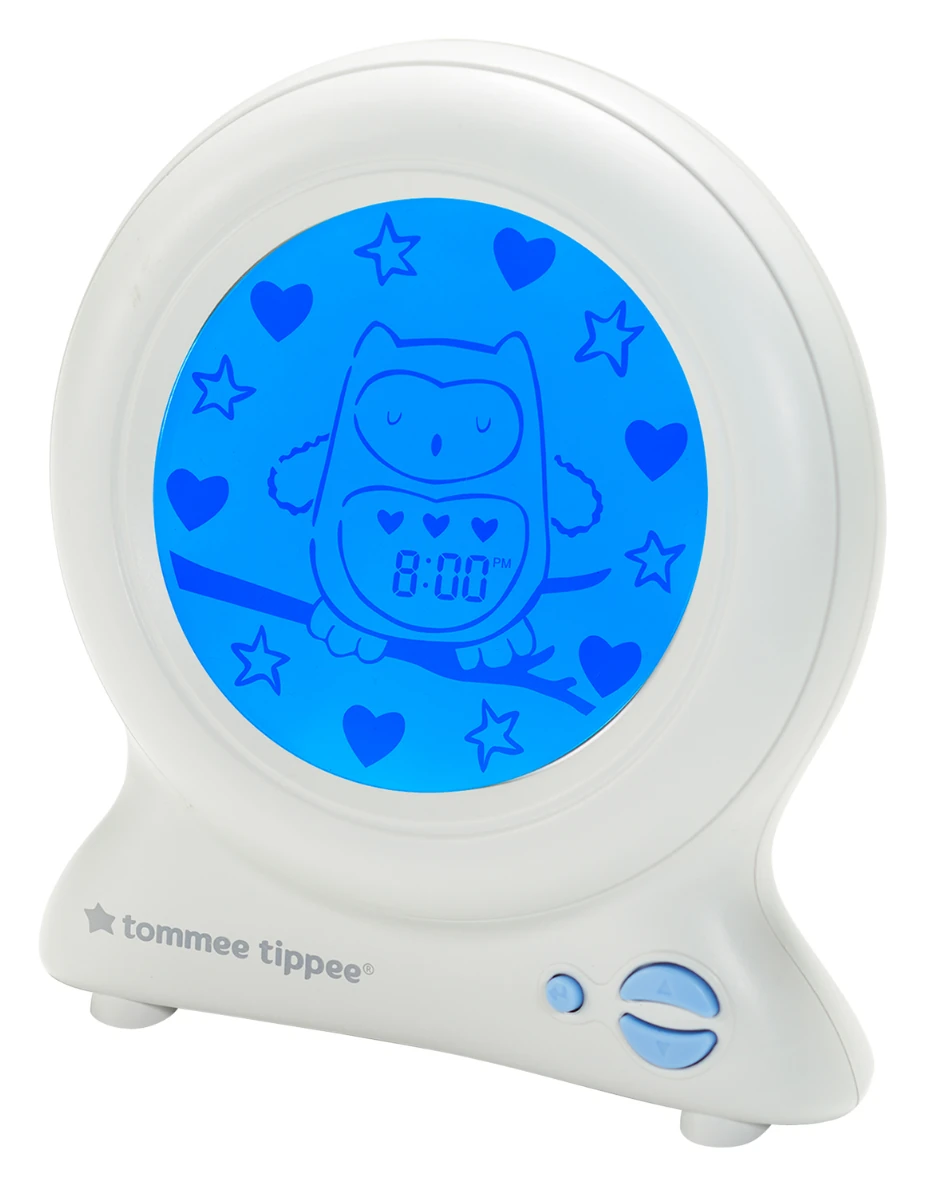
Children’s Sleep Trainer Review
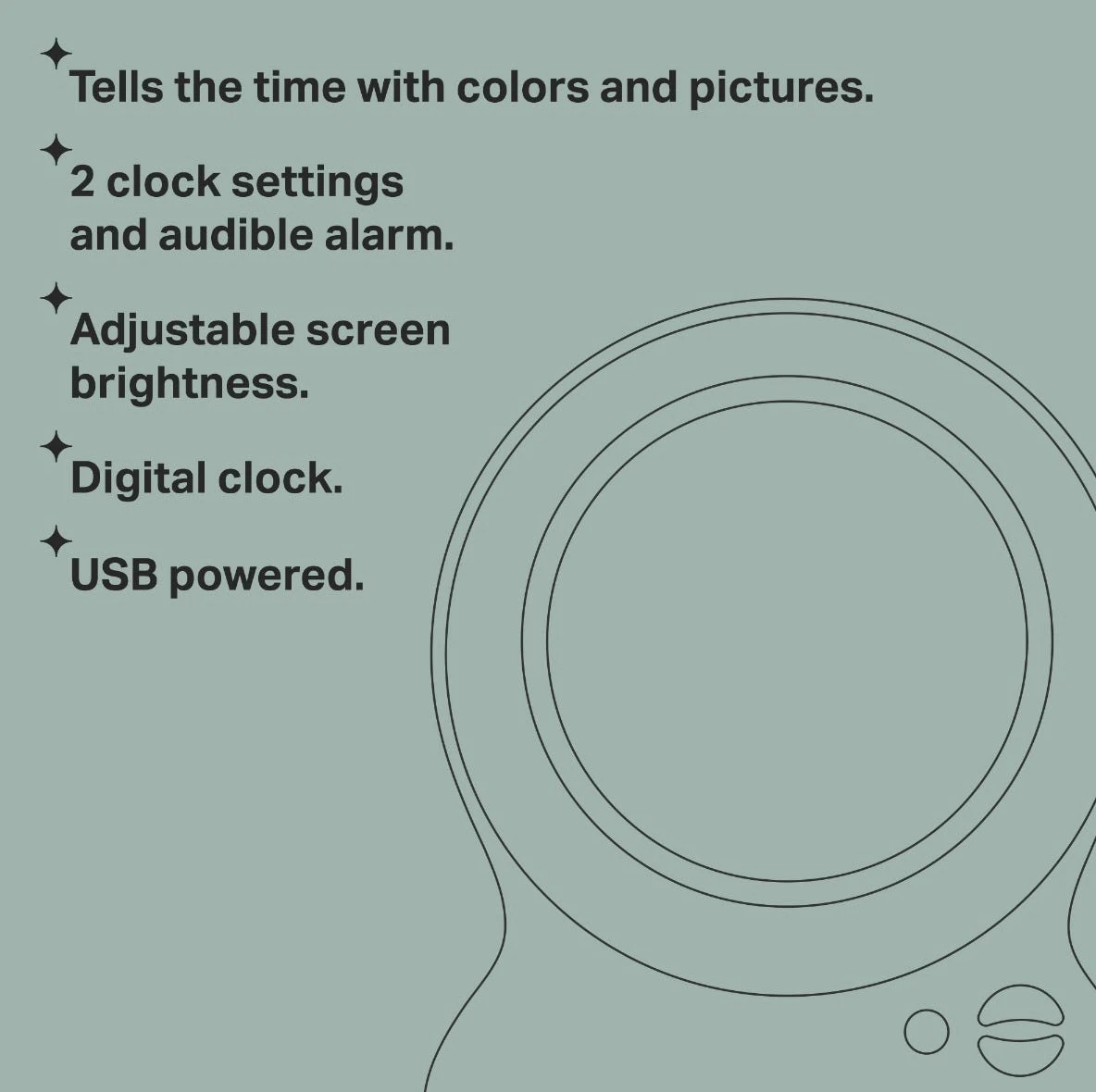
Groclock translates time into a blue sleep picture and a yellow morning picture, with separate sleep and nap settings, adjustable display brightness, an optional digital time, and an optional audible alarm. Its strength is deliberate simplicity.
Bottom line
Choose Groclock when one clear visual boundary is easier to teach than a multifunction routine. It works best after a child can explain the rule and an adult has planned cable safety and power-loss recovery.
Independent desk-researched review based on Tommee Tippee’s current US and UK product pages, official Groclock support guidance, and exact official images. No personal-use, behavioral-outcome, price, or stock claim is implied.
Direct product link
Tommee Tippee GroclockConfirm the USB model, product code, regional plug contents, age marking, and current warranty.Check price on AmazonThe first test
Can the child state the rule?Run demo mode in daylight before treating the color as a morning boundary.Teach the cueCategory context
Compare kids’ clocksSeparate simple visual trainers from sound machines, connected routines, and school alarms.Open the kids guideRelated Clock Guides
These routes cover child readiness, display darkness, outage behavior, phone dependence, and the wider alarm selection process.
Quick Verdict
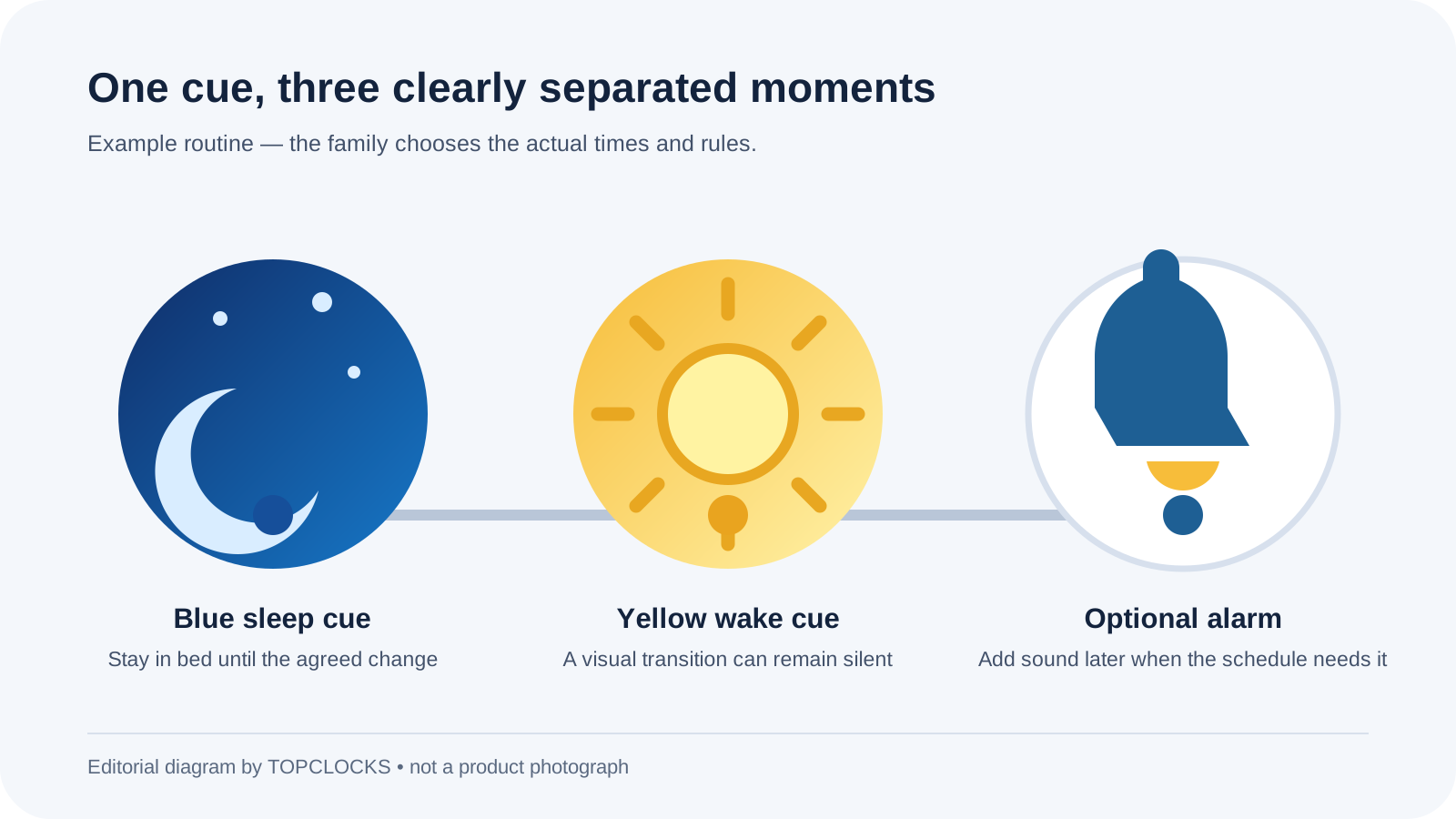
Groclock’s answer is a picture rather than a promise. At the scheduled sleep state, the display is blue and Ollie the owl appears asleep. At the selected morning time, the display changes to yellow and the owl appears awake. The digital clock can be shown as a secondary reference, but a child does not need to read it to notice the visual change.
The product is intentionally narrower than LittleHippo MELLA or an app-connected Hatch device. It does not present itself as a sound machine, multi-color decorative night light, subscription content platform, or remote monitor. It provides separate sleep and daytime-nap programs, adjustable screen brightness, an optional audible alarm, a key lock, and a demo mode.
That narrower scope can be an advantage. A family can teach one sentence: blue means stay in bed; yellow means morning begins. Fewer features mean fewer contradictory cues and fewer settings to troubleshoot. The disadvantage is equally clear: families that need white noise, multi-stage routines, remote changes, or full cordless operation must add another device.
Groclock remains dependent on mains-connected USB power. Tommee Tippee’s support guidance says a power interruption freezes the settings and clock state. When power returns, the displayed time is behind by the length of the outage. A brief interruption creates a brief error; a long overnight outage can move the wake cue materially late. The clock must be corrected after a significant interruption.
Age labels do not prove comprehension. Current regional pages present the product for young children and may show different age wording, including 12 months or 24 months depending locale and packaging. The practical test is whether the child can recognize the two pictures, repeat the rule, and demonstrate it during a calm practice session.
Blue Night, Yellow Morning
A blue screen is not inherently a bedtime instruction. The child learns its meaning from repetition. State the rule in an action the child can perform: remain in bed, use the toilet if needed, then return; or wait quietly until the screen changes. Avoid making the rule depend on an abstract idea such as “be good until morning.”
The yellow wake state should also be precise. It may mean the child may leave the room, may call a parent, or may begin quiet play. Choose one. If yellow sometimes permits getting up and sometimes does not, the device becomes a decoration instead of a boundary.
Demo mode is valuable because it compresses the visual transition into a daytime lesson. Tommee Tippee’s support page says holding the up button for three seconds starts a continuous demonstration and the same action stops it. Use the demo while the child is alert, then ask them to show what happens under blue and yellow.
Do not turn practice into a test the child can fail. The goal is shared language. A younger child may point to bed under blue and the door under yellow. An older child may repeat the sentence. If the child cannot distinguish the states in daylight, changing brightness at night will not solve the understanding problem.
Keep the first week simple. Use the same wake time, the same words, and the same adult response. Evaluate whether the cue is noticed and understood before changing the schedule. A clock that is moved later every time the child wakes early never becomes a stable reference.
Night and Daytime Nap Programs
The current Groclock supports a main sleep program and a daytime nap program. This prevents a family from repeatedly rewriting the overnight wake time for a midday rest. It also creates two schedule states that adults must identify correctly.
For overnight use, choose a wake time the family can enforce consistently. If the child wakes earlier, the screen remains a boundary rather than proof that sleep will continue. The response might be quiet rest, books, or waiting for a parent. The clock should not be used to demand more sleep than the child’s schedule can support.
For naps, decide whether yellow means “nap time is finished” or “quiet time is finished.” A child who no longer sleeps every afternoon may still benefit from a visual quiet-time boundary. Use language that remains true even when no sleep occurs.
Tommee Tippee support material describes the audible alarm as optional and separately configurable. That opens a useful sequence for older children: the display may turn yellow quietly at the permitted get-up time, then a later sound can signal a school deadline. The silent transition prevents a sleeping child from being awakened solely to prove the routine.
Verify the active program before every unusual day. A vacation nap, daylight-saving change, or weekend schedule can leave the wrong state selected. A small written note for caregivers—night time, nap time, brightness, alarm on or off—reduces guesswork.
Brightness, Digital Time, and Key Lock
The LED display has adjustable brightness and can be turned off. This matters because a blue image that looks dim in a shop can light a bedroom after several minutes of dark adaptation. Set the clock in its permanent position, turn off other lights, wait, and evaluate from the child’s pillow.
The optional digital time can help an older child connect the picture with clock reading. It can distract a younger child who begins watching every minute. Start without digits if the visual rule is the point. Add them when the child asks about time or is learning to read a clock.
The key lock is similar to a phone-style control lock and prevents casual button changes. It is useful after setup, especially when the device sits within sight. It does not make the clock a toy, eliminate the cable hazard, or prevent the unit from being pulled from a shelf.
Tommee Tippee says the LED automatically enters an energy-saving behavior one hour after the wake time. This is useful during the day but should not be confused with an alarm-off confirmation. Learn the screen indicators and verify the next active schedule rather than inferring it from a dim display.
Physical controls are an advantage when a caregiver wants a self-contained device with no account or phone. They are less convenient when schedules change from outside the room. Place a short setup note with the manual so another caregiver can change the correct program without experimenting at bedtime.
USB Power and Outages
The current product is mains-powered through an included 1.8 m USB cable. Official regional wording about the wall plug differs: support material says an adapter plug may not be included and that the cable works with common USB phone-charger plugs. Confirm the exact regional package instead of assuming the photograph settles the question.
Support guidance gives an unusually specific explanation of power loss. When power disappears, the Groclock freezes its time and settings. If power returns after a few seconds, the time is only a few seconds behind. If power returns hours later, the displayed time is hours behind. The user must reset it after a long outage.
This behavior protects configuration from disappearing, but it does not preserve accurate time through the interruption. A wake cue can therefore occur late even though the schedule still looks saved. The distinction matters for school mornings, travel, and homes with unstable power.
Test the exact setup before relying on it. Record the displayed time and programs, disconnect power for two minutes, reconnect, and observe the difference. Then correct the clock. Use an independent battery alarm or adult wake plan whenever a missed morning would have serious consequences.
The long lead needs deliberate routing. Tommee Tippee’s documentation carries a long-cable strangulation warning. Keep the cable and plug out of reach, do not place the clock in a crib or bed, avoid loops, and prevent furniture from pinching the lead. Visibility should never override cable safety.
Age and Readiness
Official regional pages and packaging can show different age guidance, including 12 months and 24 months. A younger child may enjoy the picture and light without understanding a delayed-wake rule. A slightly older child may grasp the boundary immediately. The product label identifies intended market use; it does not promise readiness.
Three signs are more useful. The child notices that the picture changed. The child can associate each picture with a simple action. The child can practice that action for a short period when calm. If one element is missing, use the clock as a gentle visual aid rather than a rule-enforcement tool.
As the child grows, enable digital time or the audible alarm. The same object can move from pre-reading cue to a basic morning clock. If the owl imagery feels too young or the child needs independent alarm volume and weekday programs, transition to a conventional children’s alarm rather than forcing the trainer to cover a new job.
Limitations
The simplicity that makes the device teachable also defines what it lacks. There is no documented sound-machine library, app, remote scheduling, rechargeable battery, or full alarm output during an outage. Families needing those functions should compare broader child sleep devices.
The clock cannot make a child sleepy or address persistent waking caused by schedule, environment, discomfort, or health. It can support a response plan after waking. If the child remains awake for long periods or shows concerning daytime sleepiness, do not keep extending the blue period as a substitute for appropriate professional guidance.
The screen may still be too engaging or bright for a particular room, even with adjustment. The display-off option is valuable, but turning the picture fully off also removes the visible boundary until it changes. Test the lowest visible setting before deciding that the feature is unusable.
The physical buttons and program states take practice. Key lock prevents accidental changes after configuration; it cannot correct a wrong wake time, active nap mode, incorrect time zone, or outage-shifted clock.
Alternatives
Choose LittleHippo MELLA when the same device should provide a multi-color night light, sleep sounds, a nap timer, and a three-stage sleep/play/wake sequence. The tradeoff is more settings and more opportunities for the visual language to become complicated.
Choose an app-connected Hatch device when remote changes, richer audio, multiple routine steps, or account-based control are genuine requirements. Verify which current functions depend on a subscription, internet connection, or phone.
Choose a basic analog or digital alarm for a school-age child who already understands clock time and mainly needs reliable waking. A conventional alarm may provide clearer weekday controls, battery operation, or louder audio without a character screen.
Choose no device change if adults have not agreed on the morning rule. A simpler clock cannot resolve inconsistent responses. Write the rule first, then choose the product that makes it visible.
Seven-Step Test Plan
Evidence Boundary
Tommee Tippee’s current product and support pages establish the visual states, sleep and nap settings, digital clock option, adjustable brightness, audible alarm, USB lead, key lock, demo mode, energy-saving behavior, and the time-freeze effect during a power interruption.
We did not measure display luminance, alarm sound pressure, clock drift, power consumption, or child sleep outcomes. No family trial or personal use is claimed. The age discussion distinguishes manufacturer positioning from individual readiness.
Product code and package wording differ by official locale. Confirm the current regional listing, adapter, warranty, and exact contents before ordering. This review is specifically about the current owl-display USB Groclock, not Groclock Connect, Groegg, or an older adapter-powered version.
Final Verdict
The blue-to-yellow picture change gives a pre-reading child a stable reference without bringing an app, audio library, or complex screen into the room. Separate sleep and nap programs, an optional alarm, brightness control, digital time, demo mode, and key lock cover the core job.
Its weaknesses are equally concrete: continuous USB power, time that falls behind during an outage, no documented full battery operation, and no assurance that the child will sleep or follow the cue. Buy Groclock when a family is ready to teach one visible rule. Choose a broader device only when the additional routine functions solve named problems.
FAQ
The family teaches the meaning. Blue normally marks the sleep period and yellow the permitted wake period. Attach one clear action to each state and practice the transition in daylight.
Yes. The current product supports separate night and daytime-nap schedules. Confirm which program is active and use consistent language for the end of sleep or quiet time.
Yes. The audible alarm is optional. Official support guidance also allows the visual transition and alarm to be treated separately, so a family can use a silent wake cue before a later sound.
Yes. The LED display has adjustable brightness and can be turned off. Test the chosen level in the fully dark room from the child’s sleeping position.
It freezes the time and settings. When power returns, the clock is behind by the duration of the outage, so a significant interruption requires the time to be corrected.
The current reviewed model is mains-powered through a 1.8 m USB lead. It should not be treated as a cordless or full battery-backup alarm.
The key lock helps prevent casual button changes after an adult completes setup. It does not replace safe cable routing or adult supervision around the outlet and device.
Official regional age wording varies. Use comprehension as the practical test: the child should notice the pictures, understand the agreed actions, and demonstrate them during calm practice.
Groclock is simpler and focused on a two-state picture cue. MELLA adds a sound machine, multi-color light, nap timer, and optional play stage. The better model is the smallest system that covers the family’s actual routine.
Editorial Review Notes
A family that wants a physical, app-free blue/yellow routine with separate sleep and nap settings and minimal sensory complexity.
A power interruption leaves the clock behind by the outage duration, and the device cannot create sleep or enforce the rule by itself.
Operation comes from current official product and support pages; no brightness measurement, child outcome, or hands-on result is invented.
This is an editorial model assessment, not a customer-submitted rating. It does not claim measured brightness, loudness, power use, behavioral success, price, stock, or personal testing.