Feature
Charging alarm clocks
Compare Qi alignment, wired outputs, cases, heat, and power sharing.
Compare charging models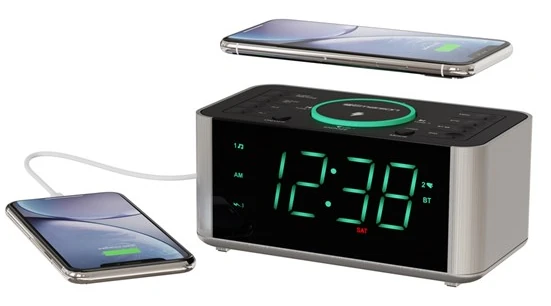
Charging Clock Radio Review
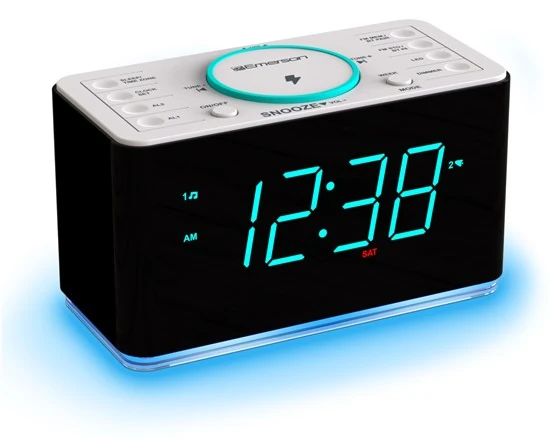
The ER100202 combines SmartSet calendar initialization, two alarms, FM radio, Bluetooth 5.1, AUX input, a wireless charging pad rated up to 10 W, and a 5 V/2.1 A USB port. The useful decision is whether those systems cooperate with the exact phone, case, room, and outage plan.
Bottom line
Choose ER100202 when a single-phone Qi pad, wired USB fallback, large aqua display, radio, and physical alarms can replace several nightstand devices. Keep a separate battery alarm if an outage cannot be allowed to silence the wake system.
Independent desk-researched review based on Emerson’s current ER100202 product page, exact-model owner’s manual, and exact official images. No personal-use, measured charging-rate, price, or stock claim is implied.
Direct product link
Emerson ER100202Confirm the exact model number, Qi compatibility, supplied adapter, warranty, and current package contents.Check price on AmazonThe first test
Phone, case, and alarm togetherProve overnight Qi alignment without hiding the alarm indicators or controls.Plan the charging surfaceCategory context
Compare charging clocksSeparate Qi wattage, wired outputs, device fit, power loss, and nightstand space.Open the charging guideRelated Clock Guides
The clock joins charging, radio, Bluetooth, display, alarm, and backup-memory decisions. These routes isolate each requirement before the features are combined.
Quick Verdict
ER100202 makes sense when its charging pad replaces a cable you already dislike and the rest of the clock replaces devices you already use. The top Qi surface is rated up to 10 W, while the USB port provides a published 5 V/2.1 A wired option. The same cabinet adds dual alarms, SmartSet time initialization, FM presets, Bluetooth playback, AUX input, sleep timer, snooze, and a large aqua display.
The phrase “up to 10 W” is a ceiling, not a universal phone result. Actual wireless charging depends on the receiver, negotiated charging profile, alignment, case, temperature, and power supply. A compatible phone may charge below the printed maximum. A phone with a thick case, metal plate, wallet, magnetic accessory, or off-center coil may not charge reliably at all.
SmartSet reduces the first setup burden by initializing calendar and time data when the clock is connected. It is not network time. The user still confirms the time zone and daylight-saving behavior. A wrong zone can be perfectly consistent and still wake the household an hour or several hours away from the intended time.
The backup button cell is for stored time and alarm settings. It is not a battery power station for the display, radio, Qi pad, USB port, Bluetooth speaker, and alarm output. This distinction is the largest reliability trap in a feature-dense mains clock. If power failure cannot be allowed to cause a missed wake, add an independent battery alarm.
Compared with ER100401, the ER100202 offers a lower published Qi ceiling but avoids choosing the later model solely for a number the phone may not use. Compared with ER100501, it is a simpler single-phone charging surface rather than a multi-device station. Buy the exact combination, not the highest count of charging icons.
SmartSet and Dual Alarms
Emerson’s SmartSet system stores calendar information and initializes the clock after connection to AC power and after interruptions. The practical benefit is fewer button presses for year, month, date, day, and time. The user’s responsibility is to select the correct time zone and verify daylight-saving behavior for the location.
Do that verification against a trusted clock, not against the phone sitting on the charging pad without checking its own zone. Confirm AM or PM, day of week, and the next alarm indicator. A clock can show the correct minutes while the alarm recurrence is assigned to the wrong group of days.
The two alarms support every day, weekdays, or weekends. This is more useful than a simple second time because it can separate workdays from weekend mornings or support two people. Write down which alarm belongs to which schedule until the indicators are familiar. If two people share the clock, agree on who may cancel, snooze, or change each alarm.
Radio and buzzer choices create another state to confirm. A radio wake depends on the selected station, antenna reception, and volume. A buzzer is more self-contained but may be less pleasant. Test both in daytime, then choose the lowest reliable output rather than assuming the radio will always be tuned as expected.
Crescendo changes the onset from abrupt to increasing intensity. Snooze postpones the alarm; it does not repair an insufficient sleep schedule. The sleep timer is a listening function and should not be confused with an alarm-duration setting. Learn each button while fully awake.
Verify time zone, AM/PM, day, and daylight-saving state.
Every day, weekdays, or weekends.
Test station, volume, and recurrence before sleep.
Four-level dimmer for room-specific brightness.
10 W Qi and 5 V/2.1 A USB
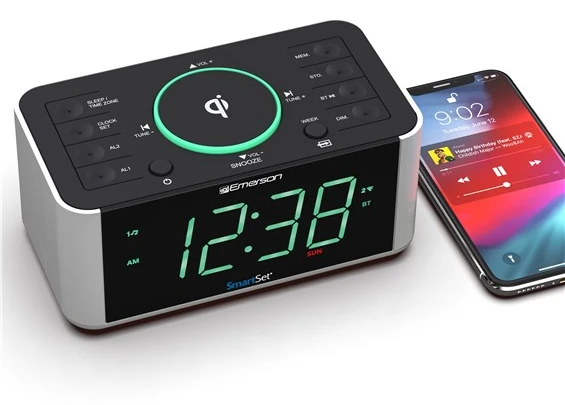
The top pad is designed for a Qi-compatible device and carries a published maximum of 10 W. Put the phone on the clock in the same case and orientation used every night. Watch for the phone’s own charging confirmation and the clock’s indicator, then leave it undisturbed long enough to reveal intermittent alignment.
Remove wallet attachments, keys, coins, magnetic plates, and other objects between phone and pad. Even when the current ER100202 page does not spell out every later-model warning, these objects can block alignment, create heat, or damage cards. Follow the exact phone and case maker’s charging guidance as well as Emerson’s manual.
The pad’s location on top of the clock saves desk space but puts a phone above physical controls. Check whether placing or removing the phone presses buttons, covers labels, or makes the clock slide. A charging surface that is easy at bedtime but awkward when the alarm sounds may be the wrong nightstand layout.
The rear USB output is listed at 5 V/2.1 A. That is a conventional wired charging option, not a promise of USB-C Power Delivery or a device’s proprietary fast-charge mode. It can serve a phone that does not align on the pad, an accessory, or a second device, using the owner’s compatible cable.
Test the alarm while both charging paths are in use. Look for heat, cable tension, radio interference, blocked ventilation, and a phone that vibrates off center during notifications. The objective is a repeatable overnight arrangement, not a one-minute charging icon.
FM, Bluetooth, and AUX
The PLL FM tuner stores up to 20 presets. Presets reduce nighttime tuning, but reception still depends on antenna position and the room. Extend and orient the antenna before choosing radio as a wake source. A station that sounds clean in the afternoon can suffer interference after chargers, lamps, or other electronics are moved.
Bluetooth 5.1 provides a manufacturer-published range up to 10 meters under suitable conditions. Walls, devices, interference, and phone behavior reduce practical range. Pairing makes the clock a speaker for phone audio; it does not automatically turn a phone app into the clock’s dependable alarm source.
AUX input offers a wired listening path for a compatible source. It can avoid pairing uncertainty, but it adds another cable and relies on the source device’s output level. Set the source volume and clock volume deliberately to prevent an unexpectedly quiet or loud result.
The sleep timer can stop radio, Bluetooth, or AUX playback after a chosen period. Test what happens to the selected audio mode when the alarm time arrives. The wake alarm should be configured through the clock’s own alarm controls, not inferred from whichever audio was playing at bedtime.
This is a bedside clock radio, not a claim of high-fidelity room audio. Use FM and Bluetooth for convenient listening and alarm context. If sound quality is the primary purchase reason, compare a dedicated speaker separately from the alarm’s reliability requirements.
Aqua Display and Nightstand Fit
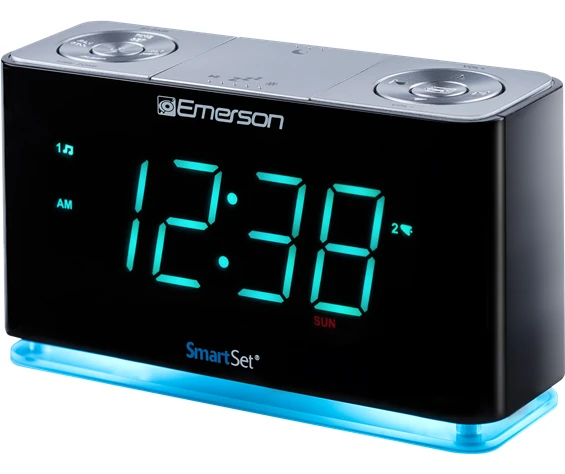
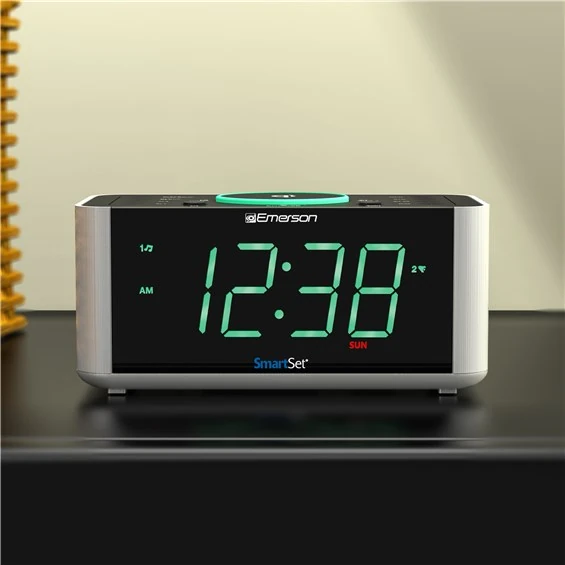
The 1.4-inch aqua display is designed for easy reading from bed. Four dimmer levels allow adjustment for a bright room or dark bedroom. Evaluate the lowest level after the room has been dark for several minutes. Aqua light can feel less harsh than some colors to one user and more noticeable to another; the room test decides.
Large time digits do not make the smaller alarm, day, radio, Bluetooth, and charging indicators equally readable. During setup, stand close enough to confirm them. Before sleep, verify the intended alarm number and recurrence rather than glancing only at the time.
The phone on the top pad adds its own screen and notification light. Use the phone’s sleep or focus settings so a charging notification does not defeat the clock’s dimmer. Place the unit where the phone can be removed without pulling the clock or pressing top controls.
AC Dependence and Backup Memory
ER100202 is an AC-powered unit. Emerson’s button-cell backup is intended to maintain time and alarm settings through an interruption. The screen can go dark and the active radio, Bluetooth, USB, wireless charging, and alarm functions should not be assumed to continue.
That boundary matters because the clock consolidates several services on one outlet. When AC fails, the phone may stop charging at the same time the main wake system loses output. A phone that began the night nearly empty is not a reliable independent backup merely because it sits on the pad.
Perform a controlled interruption test after setup. Photograph or write down the alarm states, disconnect AC briefly, reconnect, and confirm the time, zone, recurrence, radio preset, and alarm indicators. Do not deliberately leave a phone between the pad and charger during repeated power cycling.
If an alarm cannot be missed, add a separate battery-powered clock placed away from the ER100202. Independence is the point: a second alarm on the same AC strip or the same nearly empty phone does not protect against the same failure.
Nine-Step Setup Plan
Alternatives
Choose Emerson ER100301 when wired USB charging and a cyan night-light base matter but wireless charging does not. Removing the Qi pad simplifies phone compatibility and keeps the top surface focused on controls.
Choose Emerson ER100401 when a compatible phone can use its published 15 W pad and the model’s documented interaction—FM radio is muted during wireless charging—is acceptable. Do not upgrade for wattage before checking the phone and case.
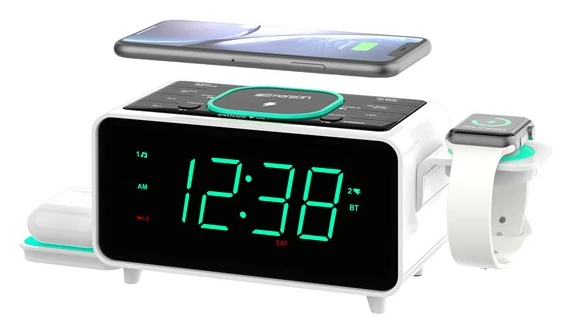
Choose Emerson ER100501 when a phone, earbuds, watch-cable holder, and additional USB connections genuinely need one station. Its greater consolidation also increases space, cable, and shared-power planning.
Choose a basic clock radio without charging when the phone should remain across the room or outside the bedroom. Removing the phone from the alarm surface can improve independence and reduce notification light.
Evidence Boundary
Emerson’s current product page and exact ER100202 manual establish the 10 W-class wireless pad, 5 V/2.1 A USB output, Bluetooth 5.1, published range up to 10 m, 20 FM presets, 1.4-inch aqua display, four-level dimmer, dual alarm recurrence, SmartSet, DST behavior, radio/buzzer wake, sleep timer, snooze, AUX input, crescendo, and button-cell settings memory.
We did not measure charge wattage, time-to-full, temperature, radio sensitivity, speaker response, Bluetooth range, alarm loudness, or outage output. No hands-on use is claimed. Compatibility and performance must be tested with the exact phone, case, cable, outlet, and room.
Current price, availability, included regional accessories, and warranty can change. Confirm them on the official page before purchase.
Final Verdict
The clock earns its space when the Qi pad reliably charges the real phone, the USB port serves a second wired need, SmartSet reduces setup, the large display is readable, and FM or Bluetooth replaces another bedside device. Dual recurring alarms and physical controls make it more than a charger with digits.
Its limits are not hidden after they are tested: charging is device-dependent, SmartSet still needs the correct zone, and the button cell protects settings rather than powered outputs. Buy ER100202 for a verified single-phone bedside system. Skip it when outage resilience, several wireless devices, minimal size, or a phone-free room is the actual priority.
FAQ
Emerson rates the pad up to 10 W. Actual charging depends on the phone, negotiated Qi profile, alignment, case, temperature, and power conditions. The published ceiling is not a guaranteed device-specific rate.
Yes. The official specification lists a 5 V/2.1 A USB output. It is a conventional wired charging path and should not be described as USB-C Power Delivery or a guaranteed proprietary fast-charge mode.
SmartSet initializes stored calendar and time information after connection to AC power and interruptions. The user still selects and verifies the correct time zone, AM/PM, day, and daylight-saving behavior.
The button cell is documented for retaining time and alarm settings. Do not assume the display, radio, buzzer, Bluetooth, Qi pad, or USB output operates normally without AC. Use an independent battery alarm when outage waking is critical.
Two. Each can use every-day, weekday, or weekend recurrence. Confirm the active alarm number, wake source, AM/PM state, and recurrence indicator before sleep.
Yes. It supports radio or buzzer wake and an FM tuner with 20 presets. Test antenna position, station, preset, and volume in the actual room before relying on radio.
Bluetooth 5.1 is an audio playback path. A paired phone should not be assumed to become the clock’s alarm scheduler. Configure wake time and source with the clock’s own alarm controls.
Yes. Emerson lists four dimmer levels for the 1.4-inch aqua display. Evaluate it after the room is fully dark and remember that the clock cannot dim the screen of a phone charging on top.
ER100501 is the more relevant multi-device station, with additional charging positions and cable arrangements. ER100202 is simpler for one Qi phone plus a wired USB device. Confirm compatibility and shared-power limits before choosing.
Editorial Review Notes
A user whose exact phone and case work on a 10 W-class Qi pad and who also values wired USB, dual alarms, FM, Bluetooth, and a large aqua display.
Charging is device-dependent and the backup cell retains settings rather than powering the full alarm, radio, and charging system.
Core specifications come from Emerson’s exact product page and manual; no measured charge rate, sound result, or hands-on experience is invented.
This is an editorial model assessment, not a customer-submitted rating. It does not claim measured wattage, charging time, radio sensitivity, Bluetooth range, alarm loudness, price, stock, or personal testing.
Sources