Feature
Charging alarm clocks
Compare Qi ceilings, alignment, cases, ports, and heat boundaries.
Compare charging models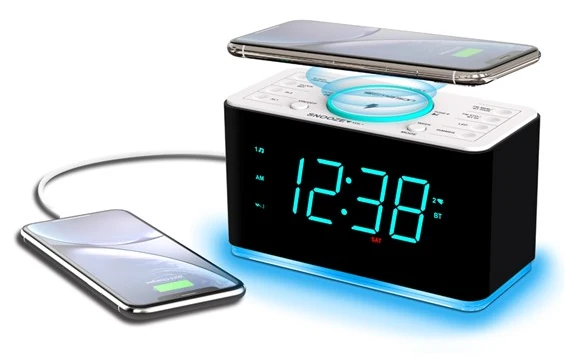
15 W Wireless Charging Clock Review
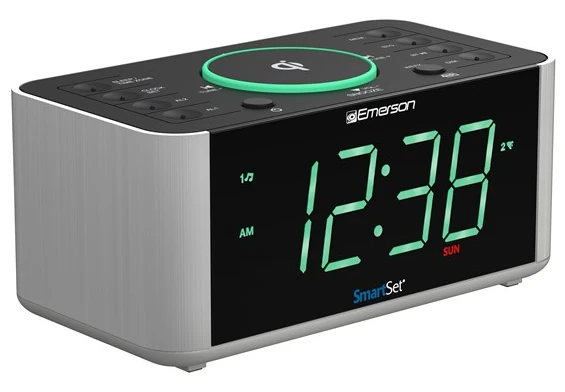
ER100401 combines a wireless pad rated up to 15 W, a 5 V/2.1 A USB port, Bluetooth 5.0, FM with 20 presets, SmartSet, dual alarms, a two-level cyan night light, and a 1.4-inch display. Its manual also documents a decisive interaction: FM is muted during wireless charging.
Bottom line
Choose ER100401 only after the exact phone and case charge reliably and the FM-mute behavior fits the routine. A user who wants overnight FM while charging wirelessly should choose another topology, not assume the systems remain independent.
Independent desk-researched review based on Emerson’s current ER100401 product page, exact official owner’s manual, and exact official images. “Up to 15 W” is treated as a rated ceiling, not a measured phone result.
Amazon
Emerson ER100401Confirm the model, phone and case compatibility, power equipment, warranty, and current contents.Check current priceCritical interaction
Qi charging mutes FMTest the intended overnight radio and charging combination before choosing radio wake.Check the interactionCategory context
Compare charging clocksMatch rated wattage, cases, alignment, audio behavior, and outage risk.Open the charging guideRelated Clock Guides
ER100401 shows why a charger, radio, display, and alarm cannot be evaluated as isolated bullets.
Quick Verdict
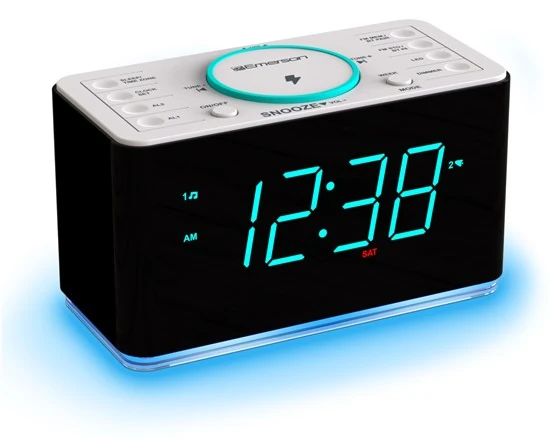
The ER100401 is attractive because it consolidates a 15 W-class Qi pad, wired USB charging, FM, Bluetooth, dual alarms, SmartSet, a cyan night light, and a large display. The same consolidation creates dependencies that are easy to miss in a comparison table.
The exact manual says FM radio is muted while wireless charging is active and returns when the phone is removed. A person who falls asleep to FM while charging a phone cannot treat the two functions as simultaneous. A person planning to wake to radio should test whether a phone left on the pad changes the expected behavior at alarm time.
Wireless charging also depends on placement. Emerson says a case or accessory thicker than 0.2 inches, approximately 5 mm, may prevent charging. The manual prohibits foreign metal objects such as coins and keys and warns against magnetic stripes or cards between the phone and pad. These are operating conditions, not minor fine print.
The pad is rated up to 15 W, but the phone determines whether that rate is available. Receiver support, alignment, case, temperature, and charging protocol can lower actual power. The red charging indicator provides error information: different flash patterns help distinguish alignment or charging problems. Learn those patterns before the first overnight charge.
Finally, the coin cell is a memory device. It does not keep the clock’s display, radio, Qi pad, USB port, Bluetooth, and normal alarm output running through an AC failure. A high-consequence morning needs an independent battery alarm.
15 W Qi and USB Fallback
Start with the exact phone in its everyday case. Center it on the pad, confirm the phone’s charging screen, then check the clock’s wireless indicator. Move the nightstand as it would be used, allow notifications to vibrate, and observe whether charging remains stable. A one-second icon is not an overnight test.
Emerson’s manual sets a practical case boundary: accessories or cases thicker than 0.2 inches, about 5 mm, may stop charging. Wallet cases, ring holders, magnetic plates, and cards add both thickness and prohibited materials. Remove them unless the phone and accessory manufacturers explicitly support the arrangement.
Keep coins, keys, metal objects, and magnetic cards off the pad. A nightstand is a natural place to empty pockets, which makes the warning operationally important. Define the charging circle as a device-only surface and leave a separate tray for everything else.
The charging indicator can turn solid cyan during normal charging and use red flash behavior for an error condition. The exact manual distinguishes slow and rapid red flashing. Do not cover the indicator with the phone or another object. If an error appears, remove the phone, inspect the surface, case, and alignment, let components cool if necessary, then try again.
The rear USB port provides up to 5 V/2.1 A for a cable-connected device. It is a useful fallback for a phone that will not align or for a second accessory. It is not USB-C PD and should not be described as an independent high-power fast charger.
Documented FM Interaction
This is the ER100401’s most important hidden intent. The owner’s manual states that FM radio is muted during wireless charging. Remove the device from the charging pad to resume radio listening. That behavior may be designed to manage interference, but the reason is less important than its effect on the routine.
If FM is background audio at bedtime, a phone cannot remain charging wirelessly at the same time. Use the rear USB port, charge elsewhere, or choose another clock. If FM is the selected wake source, simulate the complete setup: phone charging on the pad, radio alarm scheduled a few minutes ahead, volume and preset confirmed. Observe exactly what happens.
Do not assume Bluetooth behaves identically or that a product-page feature list overrides the manual. Test each mode separately. A clock with many inputs can switch state when the charging pad detects a device, and those transitions should be understood before sleep.
A buyer who never uses FM may consider the mute behavior irrelevant. In that case the radio is an unused feature and should not influence the purchase. A buyer who values FM should treat the interaction as a deciding criterion, not an after-purchase surprise.
Phone, case, alignment, and protocol determine actual result.
Thicker cases or accessories may prevent charging.
Use wired charging or remove the phone to listen.
Fallback path, not a PD claim.
SmartSet and Dual Alarms
SmartSet initializes stored year, date, day, and time data after connection to AC power. Emerson’s manual identifies Eastern Time as the initial default. Users elsewhere must choose the correct zone. The clock will faithfully use the wrong default until that human step is completed.
Verify the result against a trusted source: year, month, date, weekday, hour, minute, AM/PM, and daylight-saving state. The manual includes a manual clock path for locations or circumstances where the built-in DST rule is not appropriate.
Two alarms can be scheduled for every day, weekdays only, or weekends only. Each can use radio or buzzer. Set and test one alarm before the other. Confirm which alarm indicator is on, which recurrence is selected, and whether the wake source remains available with the phone in its normal charging position.
Crescendo increases the alarm gradually. Snooze postpones it. Neither function changes the underlying need to hear or perceive the signal. If the user sleeps through the buzzer or radio, compare louder, tactile, visual, or movement-based alarm categories instead of endlessly extending snooze.
The alarm system remains dependent on AC for normal output. Button-cell retention makes restoration easier; it is not evidence of a sounding alarm during the outage.
Display, Auto Dimmer, and Night LED
The 1.4-inch cyan display supports three manual brightness levels plus an automatic dimmer. Auto mode responds to ambient light. Place the clock where a lamp, window, television, or phone screen will not mislead the sensor about the sleeper’s view.
Test automatic mode through the actual evening: lights on, bedside lamp on, lamp off, phone charging, then early daylight. If the digits remain too bright or too dim, choose a manual level. Automatic is a convenience, not a requirement.
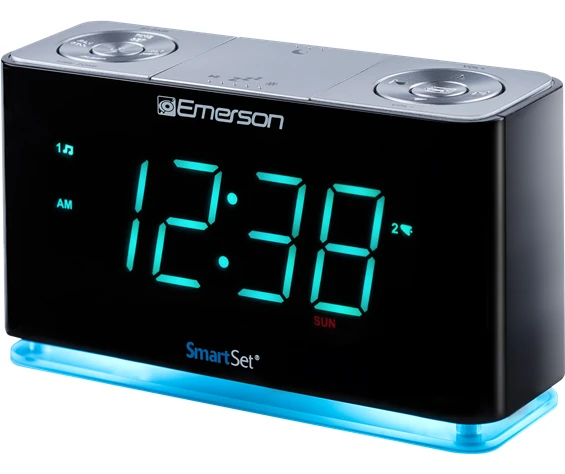
The cyan night LED has two brightness levels and can be turned off. It is separate from the digit dimmer. Decide whether the base light serves a navigation need. If it is purely decorative and distracts the sleeper, leave it off.
Small alarm, Bluetooth, FM, charging, and date indicators are less prominent than the time. Confirm them close up during setup. A readable clock face does not prove the correct alarm or charging state is active.
Controls and Connections
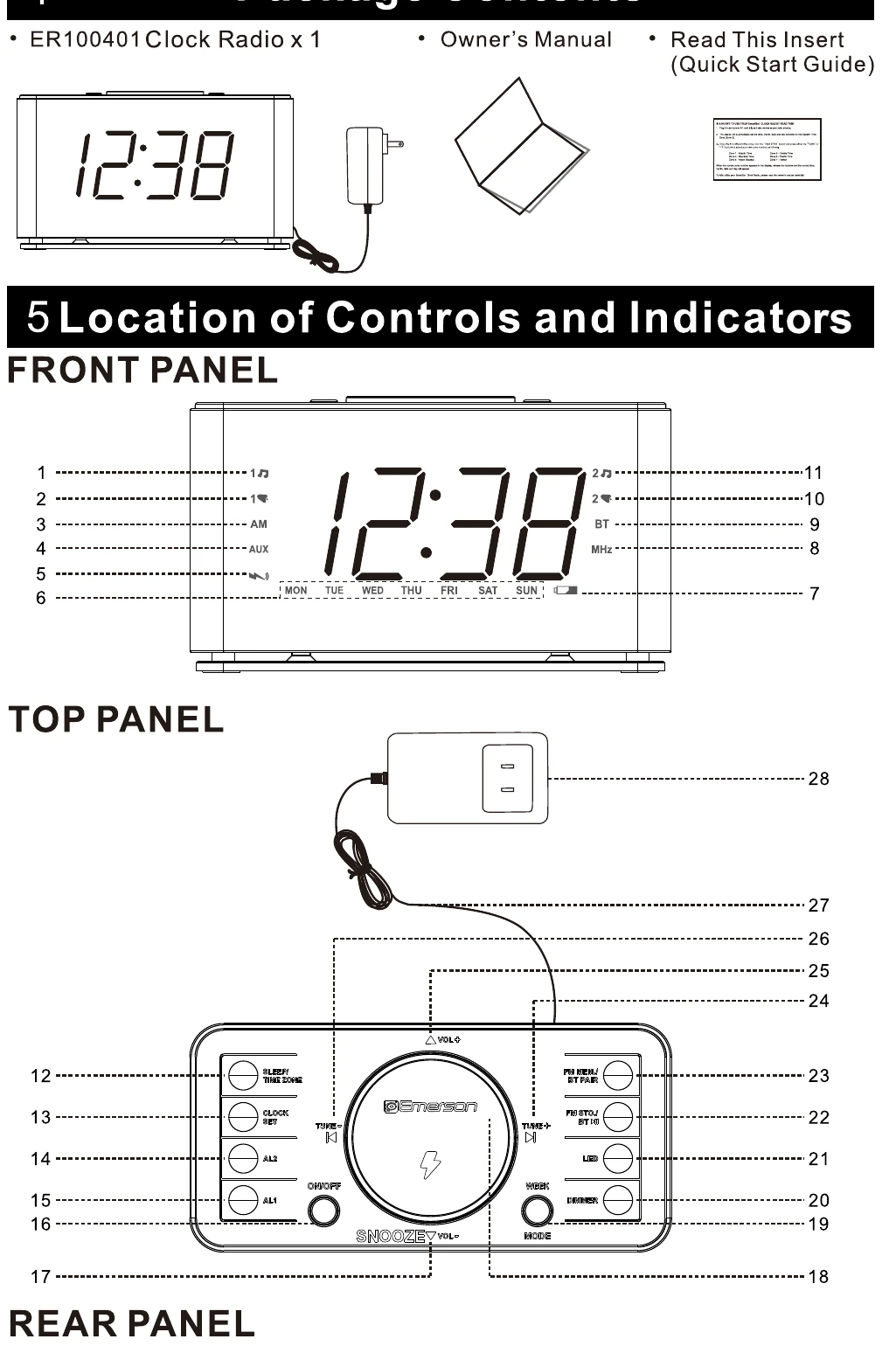
The top panel combines wireless charging, alarm buttons, clock setup, week mode, dimmer, LED control, FM memory, tuning, volume, mode, sleep, and snooze. The rear holds the USB port, AUX input, adapter connection, antenna wire, and backup-battery area.
Practice the alarm-off action without a phone covering the pad. Locate snooze by touch, but read indicators before changing settings. Route the antenna away from power and USB cables. Keep ventilation openings clear and leave room to remove the phone vertically without pulling the cabinet.
The exact official manual diagram is more useful than a decorative product crop because it shows numbered controls and ports. Keep the manual accessible after the first setup; SmartSet reduces routine work but does not remove the need to understand modes.
Bluetooth, FM, and AUX
Bluetooth 5.0 has a manufacturer-published range up to 10 meters under suitable conditions. Walls, interference, and the phone reduce practical range. Pairing supports playback; it does not make a phone alarm the clock’s wake schedule.
FM stores 20 presets and uses a wire antenna. Tune and store stations after the clock, power cable, USB lead, and phone are in their overnight positions. Most importantly, repeat the radio test with Qi active because the manual documents muting.
AUX input provides a wired source for compatible devices. The sleep timer can stop listening playback. Test whether changing mode, starting Qi, or reaching the alarm time produces the expected source and volume. Write down the final configuration until it becomes familiar.
Ten-Step Compatibility Test
Alternatives
Choose ER100202 when a 10 W-class single-phone Qi pad and wired USB meet the need and its exact manual behavior better fits the routine. Do not assume every difference from ER100401 is captured by wattage.
Choose ER100301 when a cable is acceptable and uninterrupted FM listening is more important than wireless charging. Its cyan base light and wired USB create a different room profile.
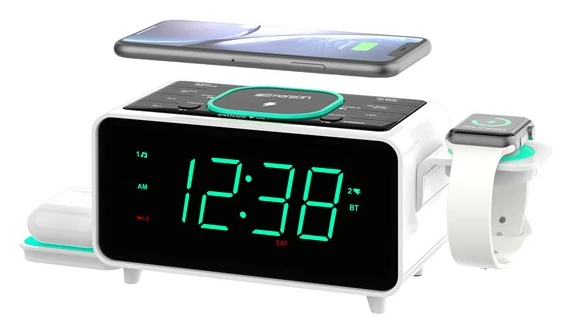
Choose ER100501 when several devices need organized charging positions. Verify the shared USB limit, the separate earbud platform, and the fact that the watch charging cable is not included.
Choose a separate Qi stand and basic radio alarm when independent replacement and troubleshooting matter. Consolidation saves space; separate components reduce correlated failure and feature interaction.
Evidence Boundary
Emerson’s current ER100401 page and official manual establish the wireless pad rated up to 15 W, 5 V/2.1 A USB output, Bluetooth 5.0, published range up to 10 m, 20 FM presets, SmartSet, dual recurring alarms, two-level night LED, 1.4-inch cyan display, three manual dimmer levels and auto mode, radio/buzzer wake, sleep, snooze, crescendo, case guidance, charging indicators, and FM muting during wireless charging.
We did not measure charging wattage, temperature, FM interference, loudness, Bluetooth range, display luminance, or battery runtime. No hands-on test is claimed. The exact phone, case, outlet, and room determine the operational result.
Price, availability, adapter, warranty, and package contents can change. Confirm them with the official product listing before purchase.
Final Verdict
The model combines strong convenience: a 15 W-class pad, wired USB fallback, SmartSet, dual alarms, FM, Bluetooth, AUX, a large auto-dimmable display, and an optional night light. The exact manual gives buyers the information needed to test it responsibly.
The decisive limits are equally specific. Thick or accessorized cases can fail, foreign objects do not belong on the pad, FM is muted during Qi charging, and the coin cell does not provide full outage operation. Buy ER100401 after a complete phone-radio-alarm test. Skip it when any of those interactions conflicts with the nightly routine.
FAQ
No. Emerson rates the pad up to 15 W. The exact phone, Qi profile, alignment, case, temperature, and charging protocol determine actual power.
The official manual says a case or accessory thicker than about 0.2 inches, or 5 mm, may prevent charging. Wallets, metal plates, rings, and cards create additional problems and should be removed unless explicitly supported.
No. The exact ER100401 manual states that FM radio is muted during wireless charging and resumes after the device is removed from the pad. Use wired USB or another clock if simultaneous FM is required.
The manual uses slow and rapid red flashing to signal charging problems. Remove the phone, inspect alignment, case, foreign objects, and temperature, then retry according to the exact guide.
Yes. It provides a USB output rated 5 V/2.1 A. That is a useful fallback but not a USB-C PD claim or a guaranteed proprietary fast-charge rate.
Two, with every-day, weekday, or weekend recurrence and radio or buzzer wake. Test radio wake with the phone in its normal charging position.
The button cell maintains stored time and alarm settings. Do not assume normal display, radio, Bluetooth, charging, or alarm output without AC; use an independent battery alarm when necessary.
Yes. The 1.4-inch display has three manual brightness levels plus auto mode, while the cyan night LED has two levels and off. Test both in the actual room.
ER100401 raises the published Qi ceiling to 15 W and adds its own documented behavior, including FM muting during Qi. ER100202 may fit better if its 10 W-class pad and feature interactions suit the phone and routine. Test, do not choose by wattage alone.
Editorial Review Notes
A user with a verified Qi phone and thin compatible case who accepts FM muting during wireless charging and wants physical dual alarms.
The charging pad and FM radio are not independent, and settings retention is not full backup operation.
The mode interaction, case guidance, and specifications come from Emerson’s exact manual; no measured phone result is invented.
This is an editorial model assessment, not a customer-submitted rating. It does not claim measured wattage, charging time, temperature, radio quality, loudness, price, stock, or personal testing.
Sources