Mesqool CR1024 Review: Alarms, Focus and Backup
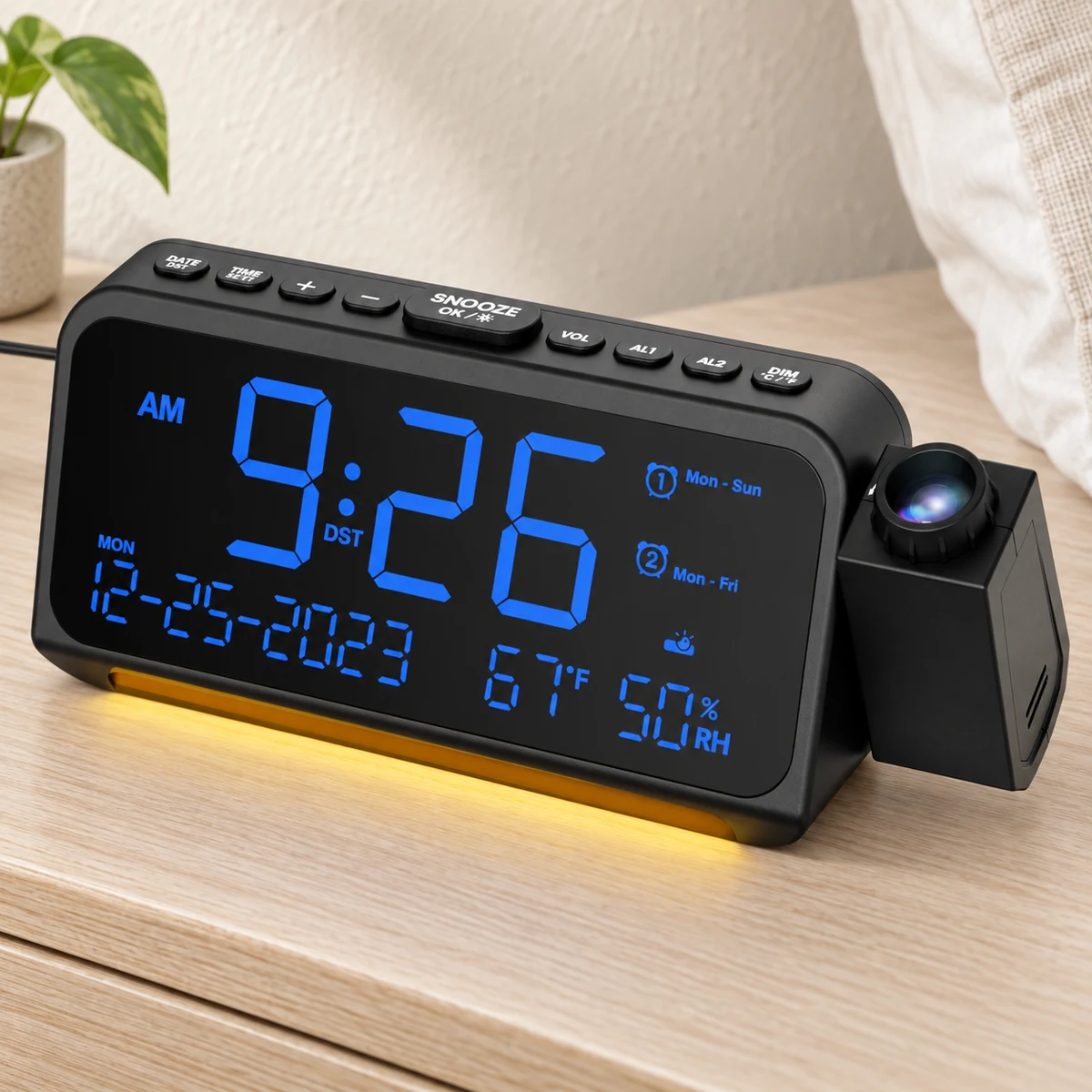
Exact-Model Documentation Review
Two alarms with weekday, weekend and One-Time settings, a focus ring and separate projection dimming. AAA batteries save settings; normal operation needs the adapter.
Bottom line
Choose it for local alarm schedules and adjustable projection focus. The AAA cells save settings; they do not power a sounding alarm, the display or projection during an outage.
Documentation-based review, not a TOPCLOCKS hands-on or laboratory test. Reference-based illustrations do not establish measured brightness, loudness, accuracy or reliability.
Selected US model
Mesqool CR1024, blue versionMatch Blue Digit+blue Projection and ASIN B0C9Z9ZWG3.View on AmazonPower requirement
AAA memory is not an outage alarmThe supplied adapter runs the clock. Two AAA cells preserve time and alarm settings only.Check power limitsCompare the clock type
Projection alarm clocksCompare projection focus, night controls, alarm schedules and power requirements before choosing a model.Open the buying guideQuick Verdict
CR1024 Makes Sense for Weekly Routines and Occasional Early Starts
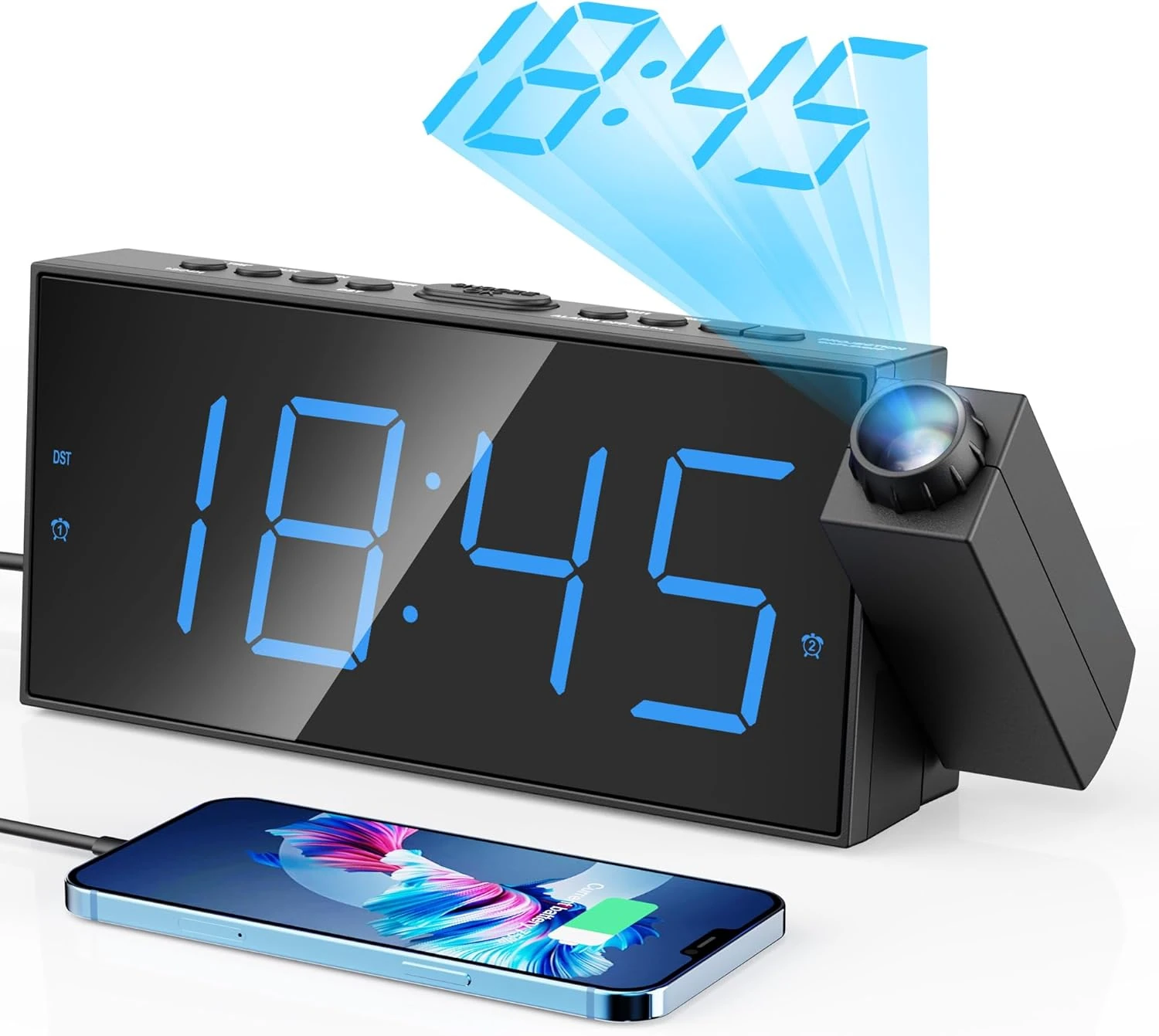
The Mesqool CR1024 combines a focusable time projector with two independently set alarms. Each alarm offers all-week, weekday, weekend or One-Time operation. That last choice matters if you want an occasional early alarm without turning it into tomorrow's routine. The clock is less suitable if your priority is a completely dark front display, automatic time updates or an alarm that survives a power cut.
Normal operation requires the adapter. Two AAA batteries preserve time and alarm settings, but cannot run the display, projection or sounding alarm. The recommended projection distance is 1.5–3 meters, or 4.92–9.84 feet, in a dark room. A focus ring helps adjust the image; it does not establish visibility in daylight.
Choose it if
- You want separate workday, weekend or one-off alarm settings.
- You want to adjust projection focus and brightness locally.
- You have bedside AC power and need indoor temperature and humidity readings.
Look elsewhere if
- You need a battery-powered wake signal during an outage.
- A verified front-display off setting is essential.
- You need outdoor readings, radio time synchronization or a bed shaker.
This is a documentation-based review of the CR1024 family, illustrated and linked in its blue-digit, blue-projection version. It contains no hands-on brightness, sound or reliability measurements.
Model and Variant
Check the Blue Variant, Not Just the Mesqool Name
The reviewed Amazon US selection is Blue Digit+blue Projection, ASIN B0C9Z9ZWG3. The official US manual identifies the base model as CR1024. Mesqool's catalog uses CR1024B for its linked product, while the selected Amazon offer lists CR1024 as the model and CR1024-R as the manufacturer part number. Those suffixes do not agree, so this review does not treat them as interchangeable revision codes.
Check the selected color, photographs and delivered label together. A Mesqool-branded projector with a similar outline is not enough to establish identical controls. In particular, CR1001F is a separate model; its instructions and product photographs should not be used to fill gaps in CR1024 documentation.
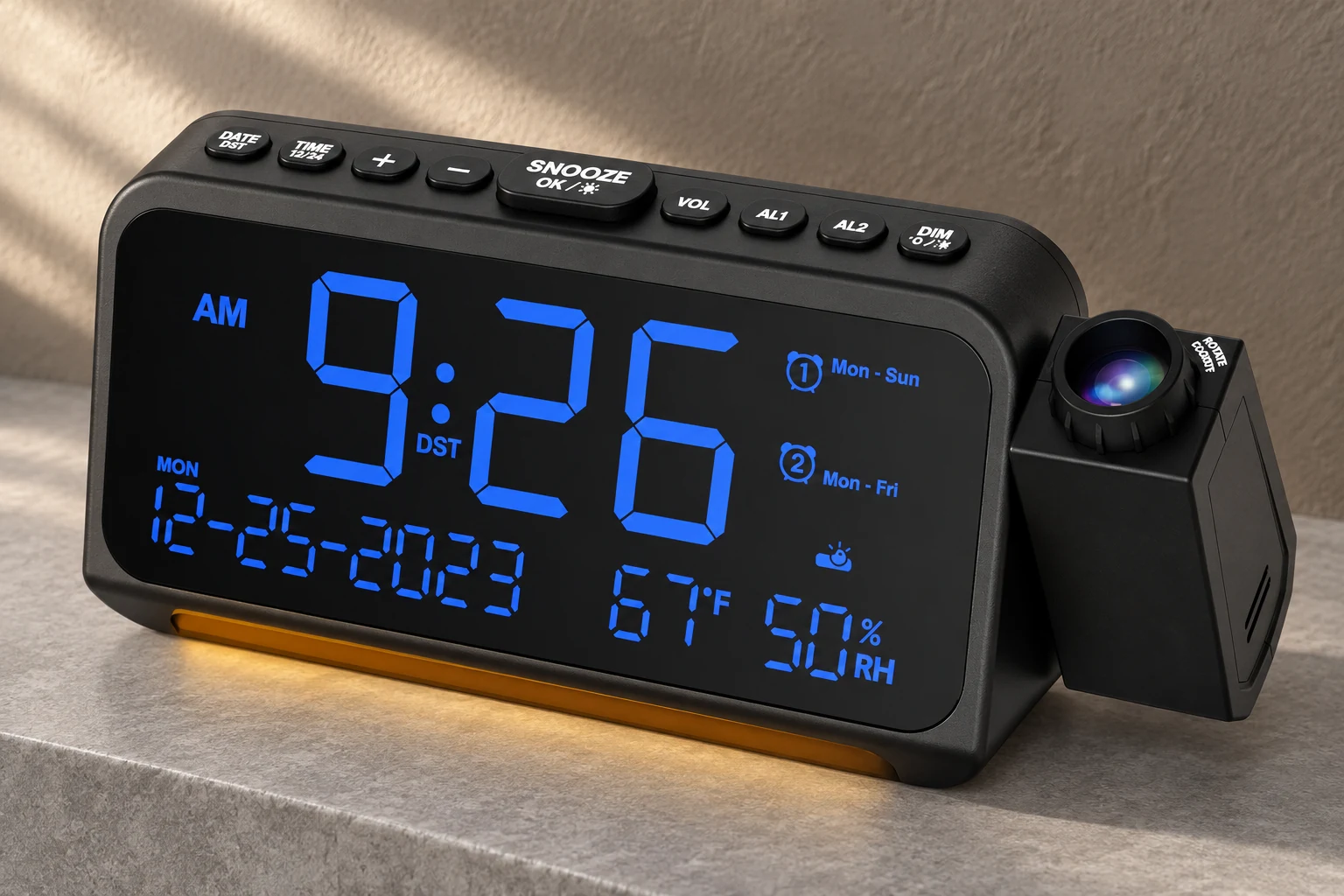
The manual lists a body measuring 7.87 × 2.36 × 3.42 inches and weighing 0.52 pounds. Treat it as roughly eight inches wide when considering a nightstand, then allow room for connected cables and projector movement. Amazon's height and weight entries differ slightly; the dimensions here are attributed to the manual, not to a TOPCLOCKS measurement.
Included items are the clock, power cable, USB power adapter and instructions. The two AAA memory batteries and phone-charging cables are not included. Keep the supplied instructions: several button labels combine more than one function.
Power and Backup
AAA Batteries Save Settings, Not the Morning Alarm
The supplied adapter is specified for 100–240V AC input and 5V/2A output. Connect its cable to the clock's DC jack. The two 1.5V AAA cells in the underside compartment serve a different purpose: they retain the time and alarm settings when external power is lost.
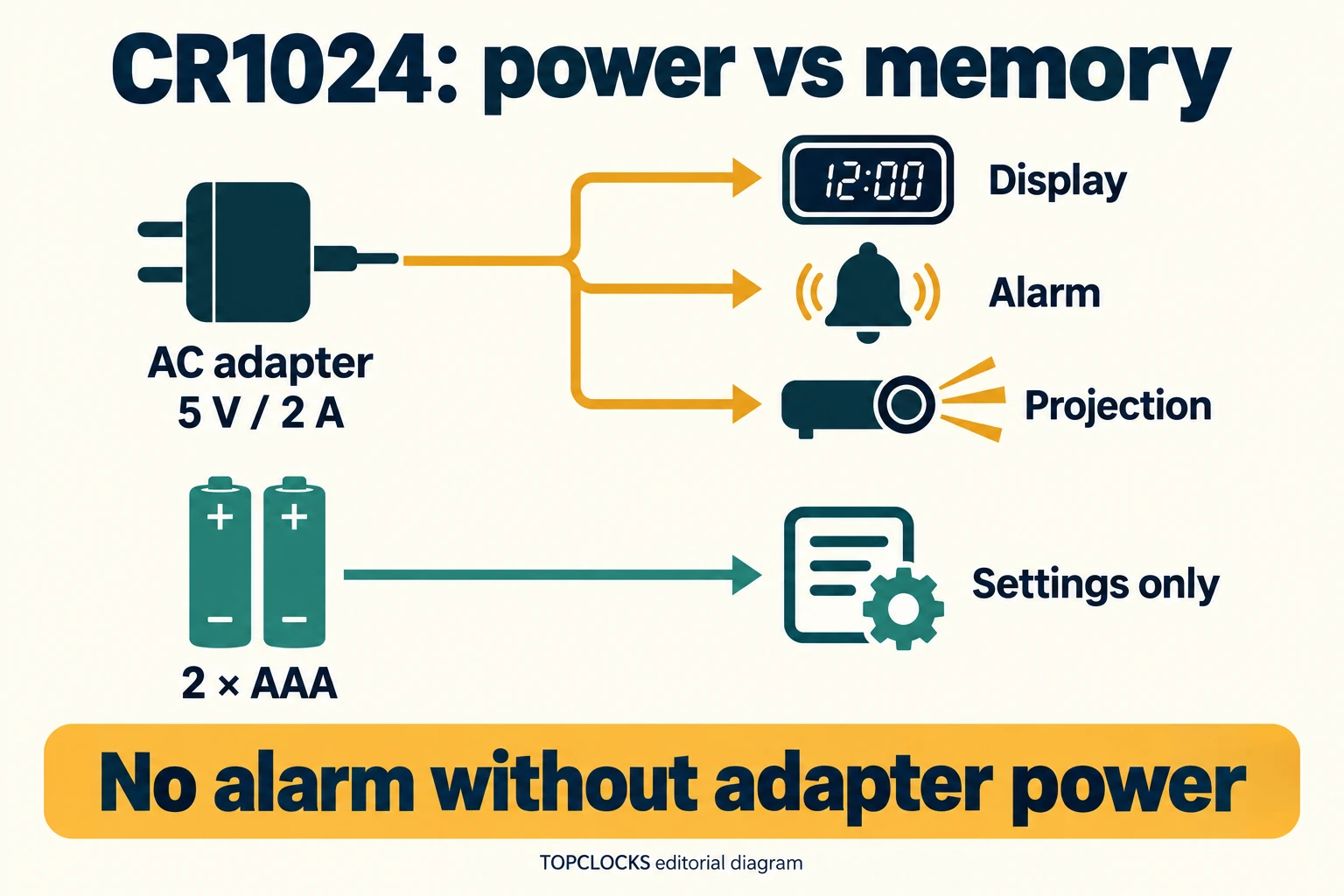
The manual explicitly excludes the time display and other functions from battery-only operation. A retained alarm time therefore does not mean an alarm can sound through an outage. Nor can those batteries turn CR1024 into a cordless travel projector.
For an ordinary setup, use the adapter for operation and the AAA cells for memory. If missing the morning would have serious consequences, arrange a separate wake signal with its own working power supply. Two alarms stored in this clock still share the same adapter dependency; adding AL2 does not remove it.
After an interruption, inspect the time, date, selected recurrence and alarm icons before relying on the next wake-up. Memory is useful, but it does not show whether the AAA cells are healthy or guarantee that all previous settings survived. Do not infer an approved alternative power-input method from the charging ports.
Projection Setup
Aim First, Then Focus Within the Recommended Distance
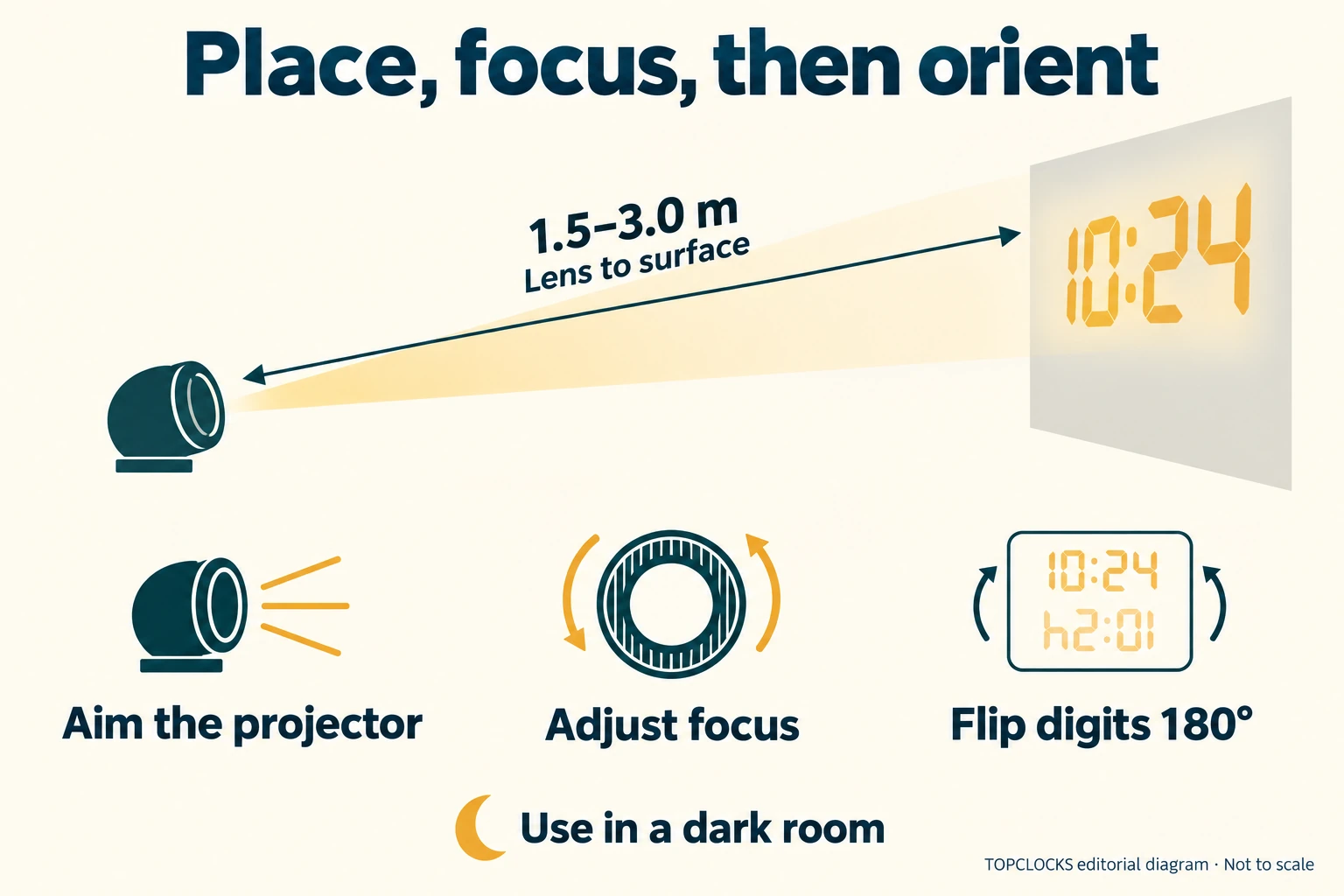
Begin with the distance from the projector to the ceiling or wall where you want to read the time. The manual recommends 1.5–3 meters, equivalent to 4.92–9.84 feet. That is placement guidance, not a guaranteed room-fit range measured by TOPCLOCKS. The instructions also warn that the projected image is not visible in a bright environment.
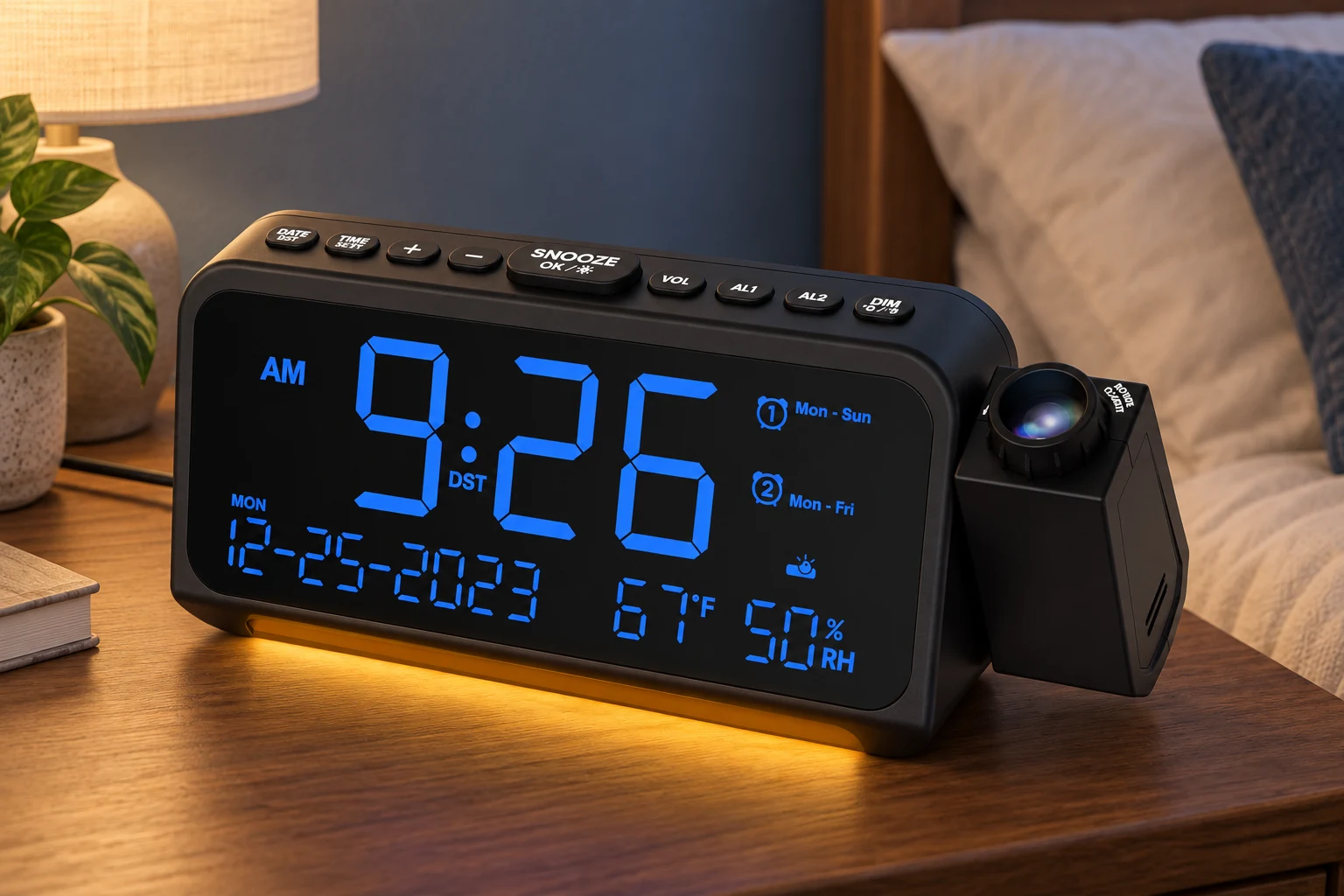
Power the clock, aim the projector at your chosen surface, then adjust the focus ring while viewing the digits from bed. If the image is upside down, use the projection button's 180-degree image flip. Adjusting focus, physically aiming the housing and flipping the digits are three different operations.
There is a documentation conflict about physical movement: the manufacturer product page describes a 350-degree swivel, while the selected Amazon listing describes 180 degrees. The 180-degree digit flip is separately established in the manual. Do not interpret either movement claim as permission to force the housing past its stop; check the delivered unit and matching instructions.
The projection button cycles through on, flipped orientation and off. A separate projector DIM button adjusts its brightness. If the result is faint or fuzzy, check the room light, placement, focus and brightness individually. Turning up brightness does not by itself correct focus. No measured image size, daylight readability or optical-sharpness comparison is available here.
Night Controls
The Clock Face, Projector and Bottom Light Need Separate Checks
The main display uses levels L01–L05, with L03 stated as the default. A brief press of DIM/°C/°F cycles those levels. Holding that same button for two seconds changes temperature units instead, which explains why a long press may produce the wrong result when you only want a dimmer clock face.
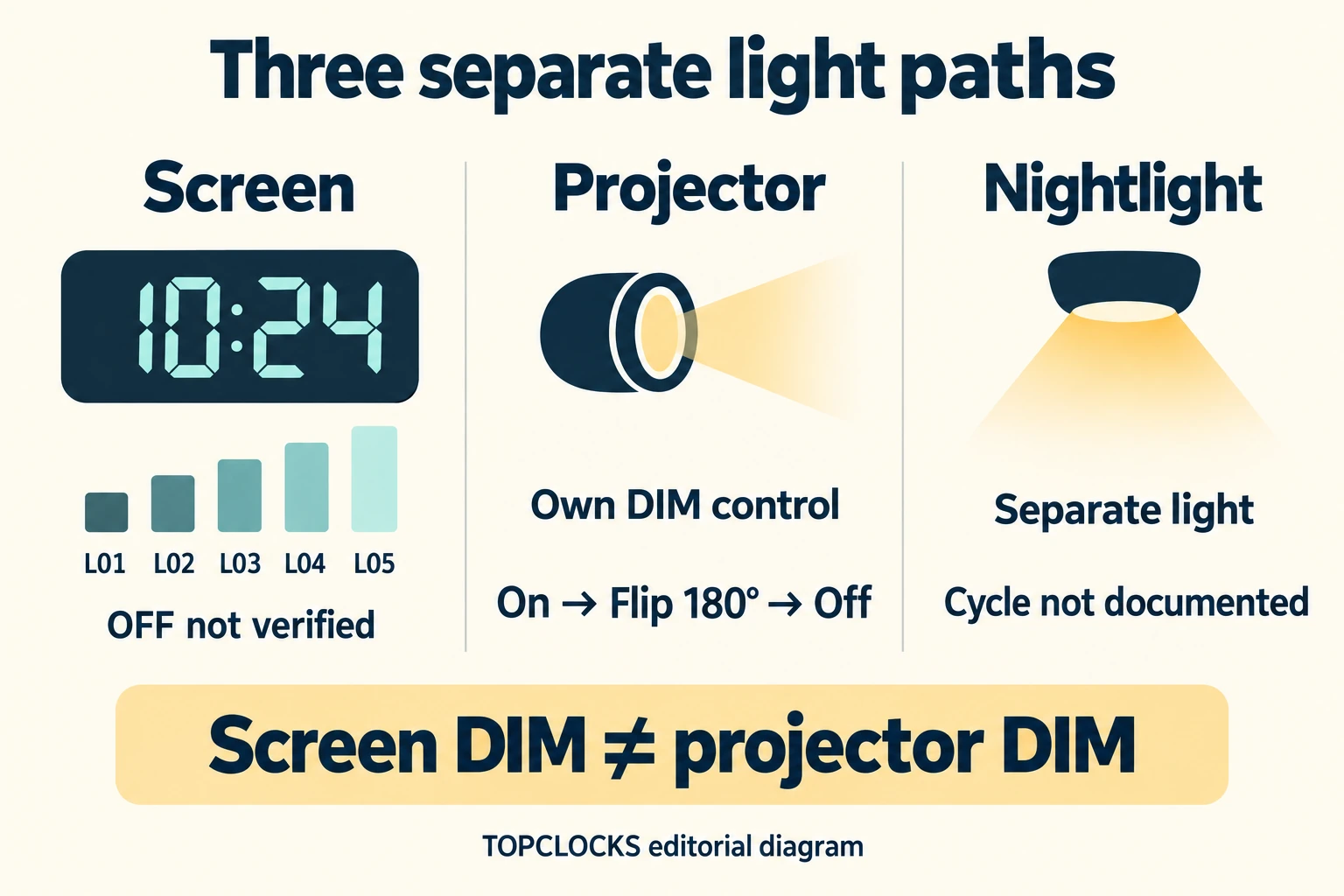
The documented display sequence does not establish an off state or automatic dimming. That matters if you want ceiling time without a lit front panel. Five brightness settings do not prove that the lowest setting will be comfortable in every bedroom.
Projection has its own DIM control and a separately documented off state. The manufacturer also shows a bottom LED nightlight, but the checked manual does not clearly specify that light's operating cycle. Do not assume that the display's five levels apply to it, or that it turns off automatically at a certain hour.
Set up each light source while awake, then inspect the finished arrangement under your usual nighttime conditions. If a verified screen-off mode is your main requirement, compare the display-control options before choosing this model.
Alarm Schedules
Each Alarm Can Repeat by Day Group or Run Once
AL1 and AL2 each store a time and recurrence choice. The four choices are Mon–Sun, Mon–Fri, Sat–Sun and One-Time. Two alarm banks do not mean seven independently programmable days, and a weekday pattern will only make sense if the clock's calendar is correct.
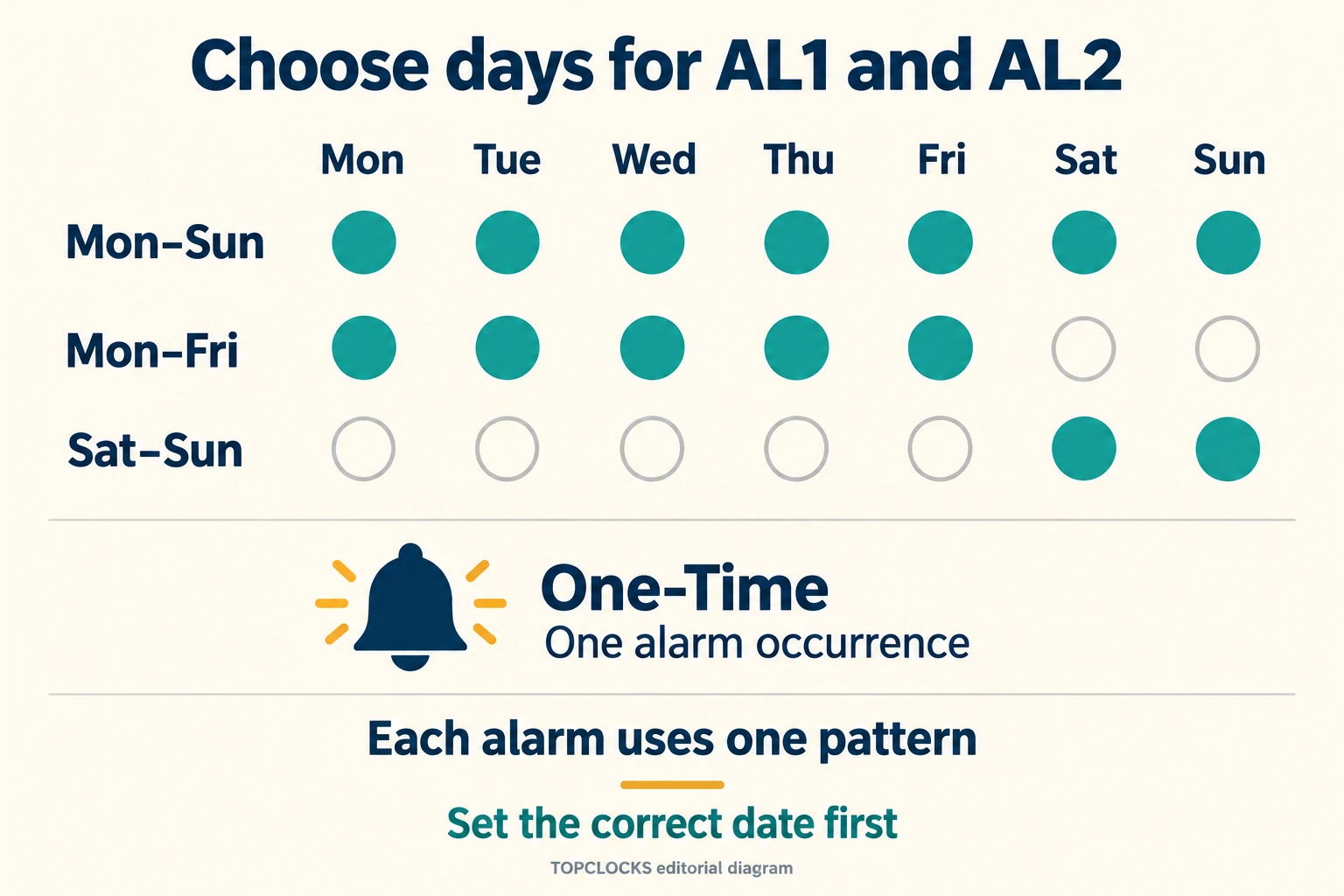
For example, AL1 could cover a regular weekday start while AL2 covers a later weekend start. For an exceptional morning, One-Time avoids making that alarm a continuing weekly routine. These are examples of the available settings, not factory presets or a promise about what is already enabled when the clock arrives.
To configure AL1, hold its button for two seconds, set the hour and minute with +/−, then choose the recurrence. AL1 or SNOOZE/OK/LIGHT confirms the stages; the manual also describes automatic confirmation after ten seconds without input. AL2 follows the same method. A short press enables or disables the corresponding alarm, so confirm the icon as well as the stored time.
Set the year, month and day through DATE/DST. For the clock time, use TIME/12/24; holding it changes between 12-hour and 24-hour presentation. In 12-hour mode, inspect AM/PM rather than trusting a familiar-looking number.
DST is manual: holding DATE/DST for two seconds advances the time one hour and shows the DST icon; repeating the hold reverses that change. This is not automatic seasonal adjustment, WWVB reception or Wi-Fi time synchronization. For two different sleepers, the couples guide considers the wider problem of sharing a wake-up arrangement.
Sound and Snooze
Snooze, Dismiss and Disable Do Different Jobs
VOL cycles through U01–U07, with U04 as the documented default. Those are seven volume levels, not seven different alarm sounds. The sources do not establish a decibel measurement or demonstrate that the alarm will wake every heavy sleeper. Hear the selected level before depending on it.
- Snooze: press SNOOZE/OK/LIGHT while the alarm sounds. The manual specifies a nine-minute pause and up to nine snooze cycles.
- Dismiss the current alarm: press AL1 or AL2 while it is ringing. This stops the current day's sounding alarm rather than necessarily disabling its stored schedule.
- Disable an alarm: when checking the settings, press the corresponding alarm button until its indicator disappears. Inspect both indicators if neither alarm should run.
The instructions say an unattended alarm stops after 60 minutes. Their dismissal and timeout paragraphs also use general next-day wording, while the setup section explicitly offers weekday, weekend and One-Time patterns. Read the later wording in the context of the selected recurrence; it does not turn One-Time into a daily alarm.
Rehearse the setting you actually intend to use. In particular, check what remains enabled after dismissal and whether the next intended day belongs to the selected group. The sources do not establish how overlapping AL1 and AL2 snooze sequences interact, so behavior documented for another clock should not be transferred here.
Room Readings
Temperature and Humidity Describe the Clock's Location
CR1024 displays local temperature and relative humidity. It is not an outdoor-sensor weather station, and the checked documentation does not establish an outdoor forecast. That distinction is more useful than simply counting how many numbers appear on the screen.
The manual states a measurement range of −50–70°C, or −58–158°F, and 1–99% RH. It also describes possible temperature deviation of 1–3°C associated with airflow and room heating, and gives a humidity deviation of 2% RH. These are manufacturer statements, not results of calibration or long-term testing by TOPCLOCKS.
The measurement range is not an outdoor-use or operating-temperature certification. Nor should the numbers be treated as medical-grade readings. A clock beside a heat source may describe that location poorly as a stand-in for the rest of the room; consider placement before comparing its reading with a device elsewhere.
Use a two-second hold of DIM/°C/°F to change Fahrenheit to Celsius. If outdoor conditions are the information you actually need, SC91's separately powered remote sensor addresses a different task; the comparison below explains the tradeoff.
Charging Ports
USB-C Is a Connector Here, Not a Fast-Charging Promise
The clock has USB-A and Type-C ports. The manual describes charging two mobile devices and specifies 5V/1A for the ports, but its maximum-current wording does not clearly establish the combined budget when both are occupied. Do not assume two independent high-power charging outputs.
USB Power Delivery, a fast-charge protocol and a guaranteed charging speed are not established. The connector shape does not establish fast-charge capability. If rapid charging matters, use a charger with an appropriate verified specification rather than making the clock responsible for that requirement.
The specification table calls Type-C an input/output port, yet the installation instructions direct normal clock power through the DC jack. Because that distinction is unresolved, this review does not recommend substituting USB-C for the supplied clock-power connection. Phone-charging cables are separate purchases.
Model Comparison
CR1024 Favors Focus and One-Time Alarms; SC91 Adds Outdoor Readings
These models overlap in time projection and local alarm controls, but their useful differences are specific. Choose between the required functions before comparing the total scores.
| Requirement | Mesqool CR1024 | SMARTRO SC91 |
|---|---|---|
| Adjustable projection focus | Focus ring documented | Focus wheel not established in the checked instructions |
| Alarm recurrence | Two alarms; all week, weekdays, weekends or One-Time | Two alarms; all week, weekdays or weekends |
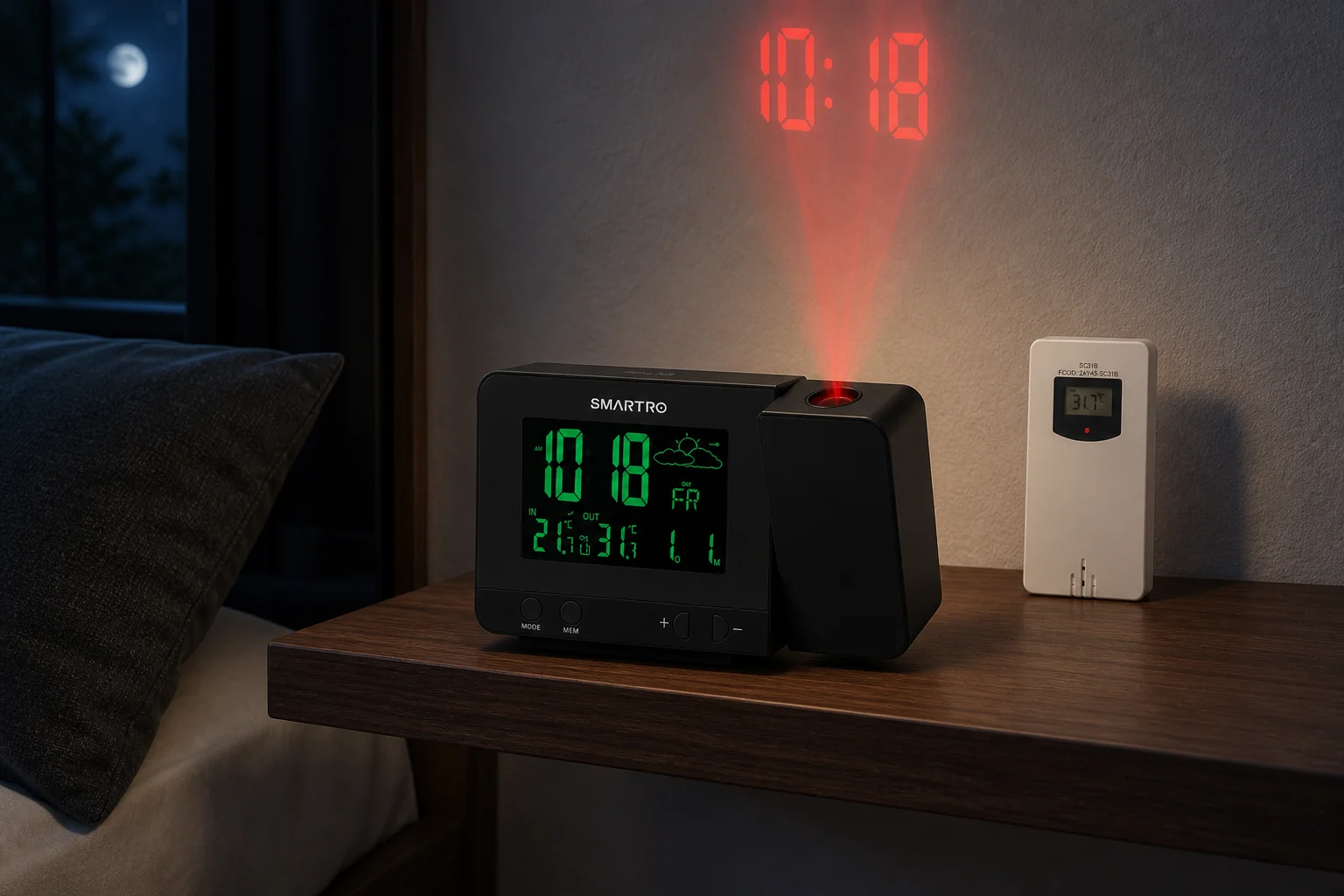
| Main screen off | Five dim levels; off not established | High, medium, low and off |
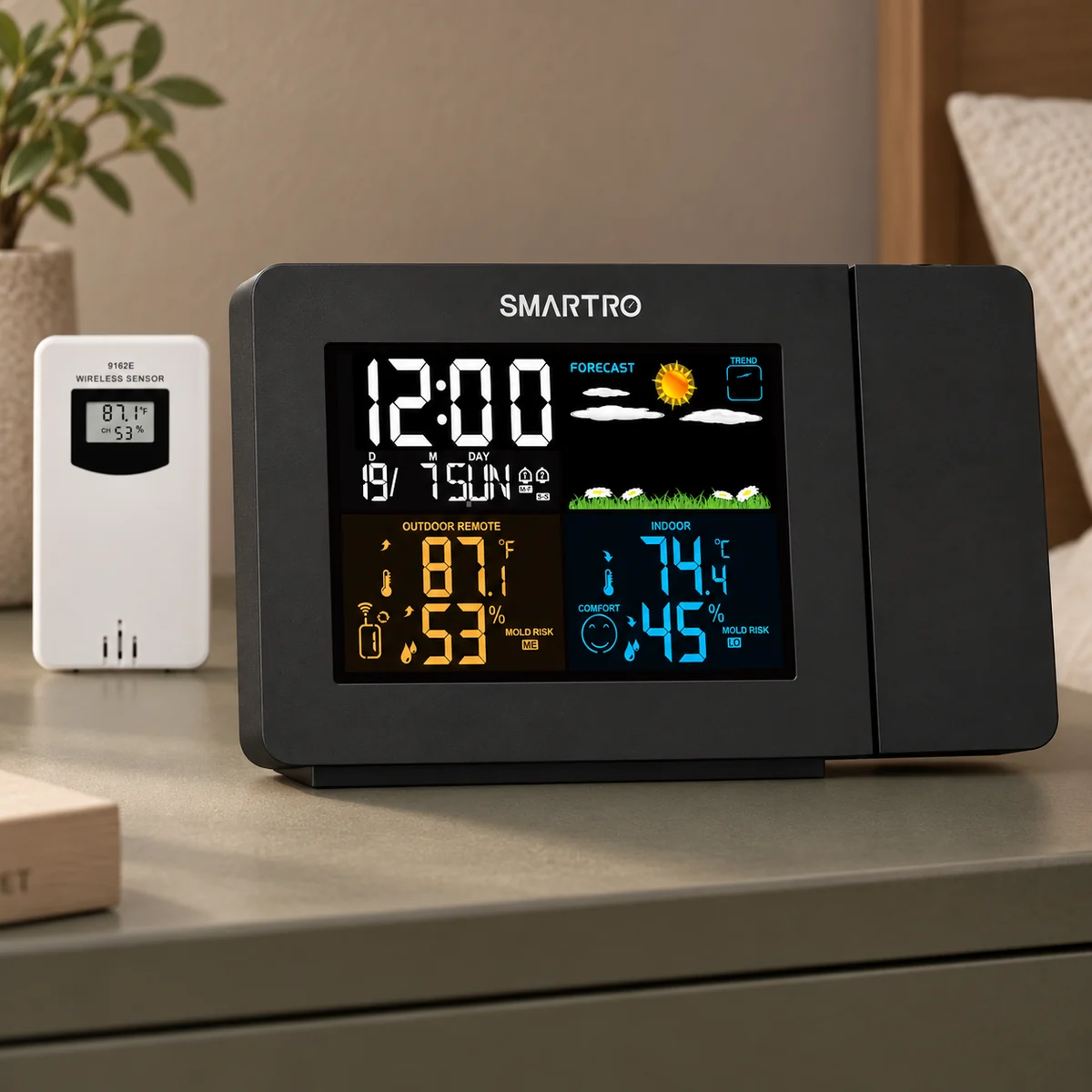
| Environmental readings | At the clock only | At the clock and from an included remote sensor |
| Projection light control | Separate dimming and off | Separate high, low and off |
| Backup limitation | Two AAA cells retain settings only | CR2032 retains settings only |
Neither settings-memory feature supplies an outage alarm. For sensor placement, SC91's schedule options and its separate light controls, read the full SC91 review. The Projection Alarm Clocks guide covers other models without treating this two-model table as an exhaustive shortlist.
Editorial Score
CR1024 Receives an 8.7/10 Research-Based Score
The TOPCLOCKS Projection method scores documented functions and ownership requirements. This is not an Amazon star average, an optical test or a prediction of waking success.
Focus, aiming, image flip and a recommended distance are documented; the physical swivel-angle claims conflict.
Volume, dismissal, snooze and timeout are explained, without a verified sound library.
Two stored alarms include day groups and a One-Time setting.
Core clock, alarm and projection controls require no app or network.
Projection dims separately and switches off; a main-display off state is not established.
No mandatory account or subscription is documented for the core task.
The settings-only battery limit is explicit; there is no battery-powered outage alarm.
The CR1024 manual and official product are traceable; the selected blue offer's suffix mismatch is disclosed.
The weighted feature base is 9.125. The method applies 0.90 documentation confidence, producing an evidence deduction of 0.4125 and a feature result of 8.7125, displayed as 8.7. The research cap is 8.8. A documented control earns credit without proving how well it performs; even this total cannot make the clock suitable for someone who needs an outage alarm or a verified screen-off setting.
First-Night Check
Rehearse the Schedule Before an Important Morning
A short rehearsal can expose a wrong day group or disabled alarm before it matters. Work through the wake settings first, then finish the projection and room-reading setup.
- Match the delivered CR1024 label, selected blue variant and supplied instructions. Connect the adapter to the DC jack.
- Set the current time, AM/PM or 24-hour format, year, month, date and manual DST state.
- Set an alarm a few minutes ahead with the intended recurrence. Confirm its icon is present.
- Listen at the chosen volume. Try snooze, then distinguish dismissal from switching the alarm off.
- Check AL2 separately if using it; do not assume the first alarm's settings apply to both.
- Adjust projection aim, focus, orientation and brightness, then the main display. Inspect the bottom nightlight separately.
- Check the clock's placement before interpreting its temperature and humidity. Arrange an independent powered alarm if an outage would be unacceptable.
Revisit these checks after a move, a calendar change or an interruption to power. If the delivered controls or instructions differ materially from those described here, resolve the model or revision with the seller or manufacturer instead of guessing through the difference. The alarm clock finder is the next step if your required function is absent rather than misconfigured.
FAQ
Mesqool CR1024 Questions Before Buying and Setup
Will One-Time become a daily alarm after I dismiss it?
One-Time is a separate recurrence choice in the setup instructions. Do not treat the manual's general next-day wording as a daily-repeat guarantee for that mode. Recheck the selected pattern and enabled icon after your rehearsal.
Why is the weekday wrong when the time looks right?
Clock time and calendar settings are separate. Check the year, month and date through DATE/DST; the correct hour alone does not establish the correct weekday pattern.
Why does the dimmer button change temperature units?
A short press of DIM/°C/°F changes main-display brightness. Holding it for two seconds changes temperature units. The projector has a different DIM control.
Can I keep projection on with the front display completely off?
A complete main-display off setting is not established in the checked CR1024 instructions. They list L01–L05. The projector's separate off setting does not establish one for the clock face.
Does the USB-C port support fast charging?
The manual specifies 5V/1A and does not establish USB Power Delivery or another fast-charge protocol. It also leaves the combined current budget for two connected devices unclear.
Will the AAA batteries sound an alarm during a power cut?
No. They retain time and alarm settings, but the manual excludes the display and other functions without AC power. Use an independently powered alarm when outage operation is necessary.
Why does the blue Amazon selection show CR1024-R?
The selected blue offer's part number and the manufacturer's CR1024B catalog label disagree. This review identifies the CR1024 family and exact blue ASIN, B0C9Z9ZWG3, without claiming that the suffixes identify the same revision.
Are the temperature and humidity readings from outdoors?
No remote outdoor sensor is established for CR1024. Its readings describe conditions at the clock. For an included outdoor sensor, compare SMARTRO SC91 rather than treating these models as equivalent weather stations.
Sources and Limits
The Official Manual Sets the Limits of This Review
Primary documentation and the selected US offer were checked on September 8, 2026. The sources establish controls and specifications, not hands-on performance. Prices, delivery estimates and stock can change and are not presented as lasting product specifications.
- — product design, focus and physical swivel claim.
- — printed pages 01–07 cover power, calendar, alarms, lighting, readings and charging.
The main unresolved details are the physical swivel angle, suffix mapping, bottom-light sequence and shared charging-current budget. They are kept separate from the verified functions so that a useful feature list does not become a promise the documentation cannot support.