Display
Projection alarm clocks
Judge projection geometry before secondary weather features.
Open the guide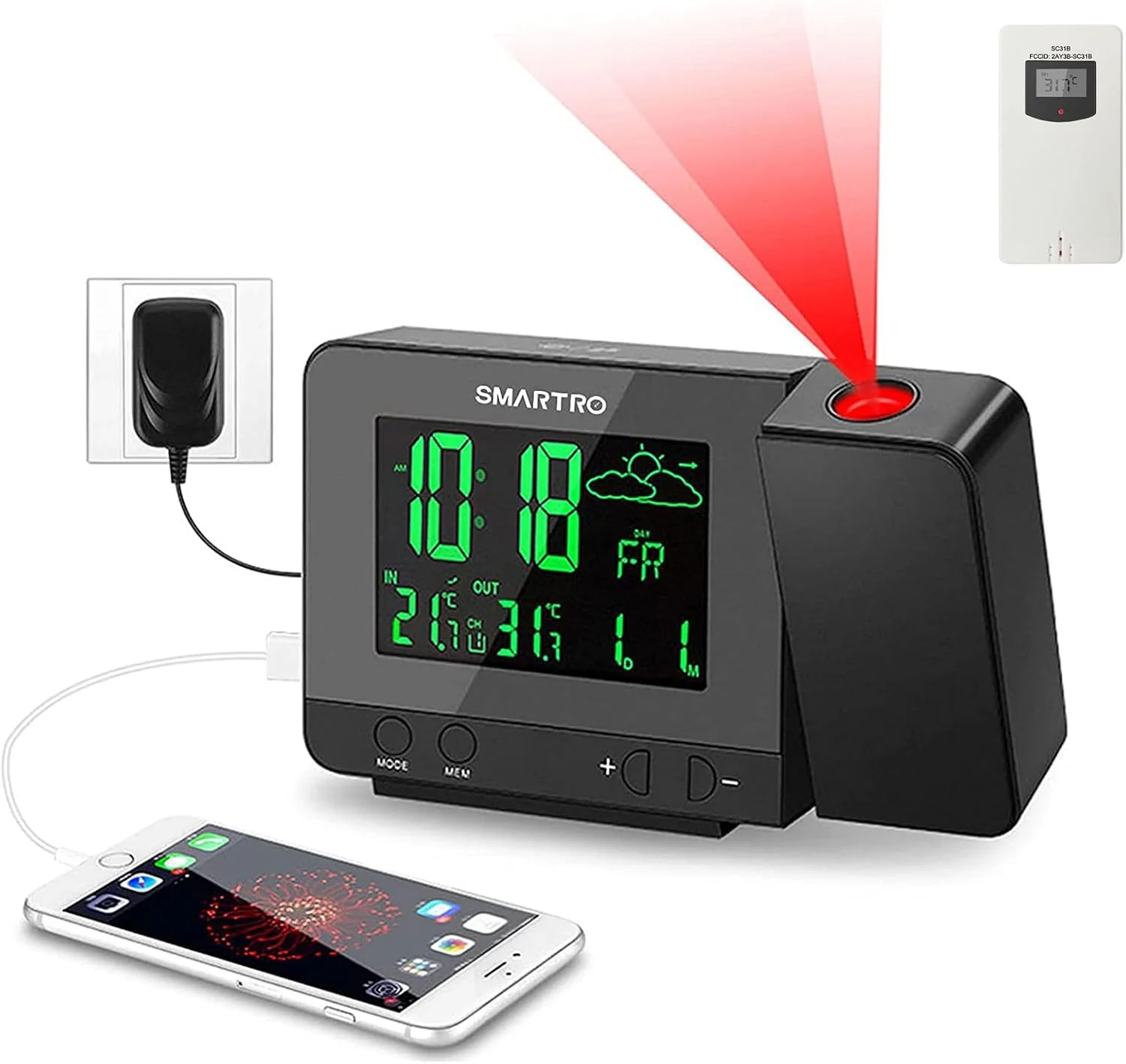
Projection Weather Clock Review
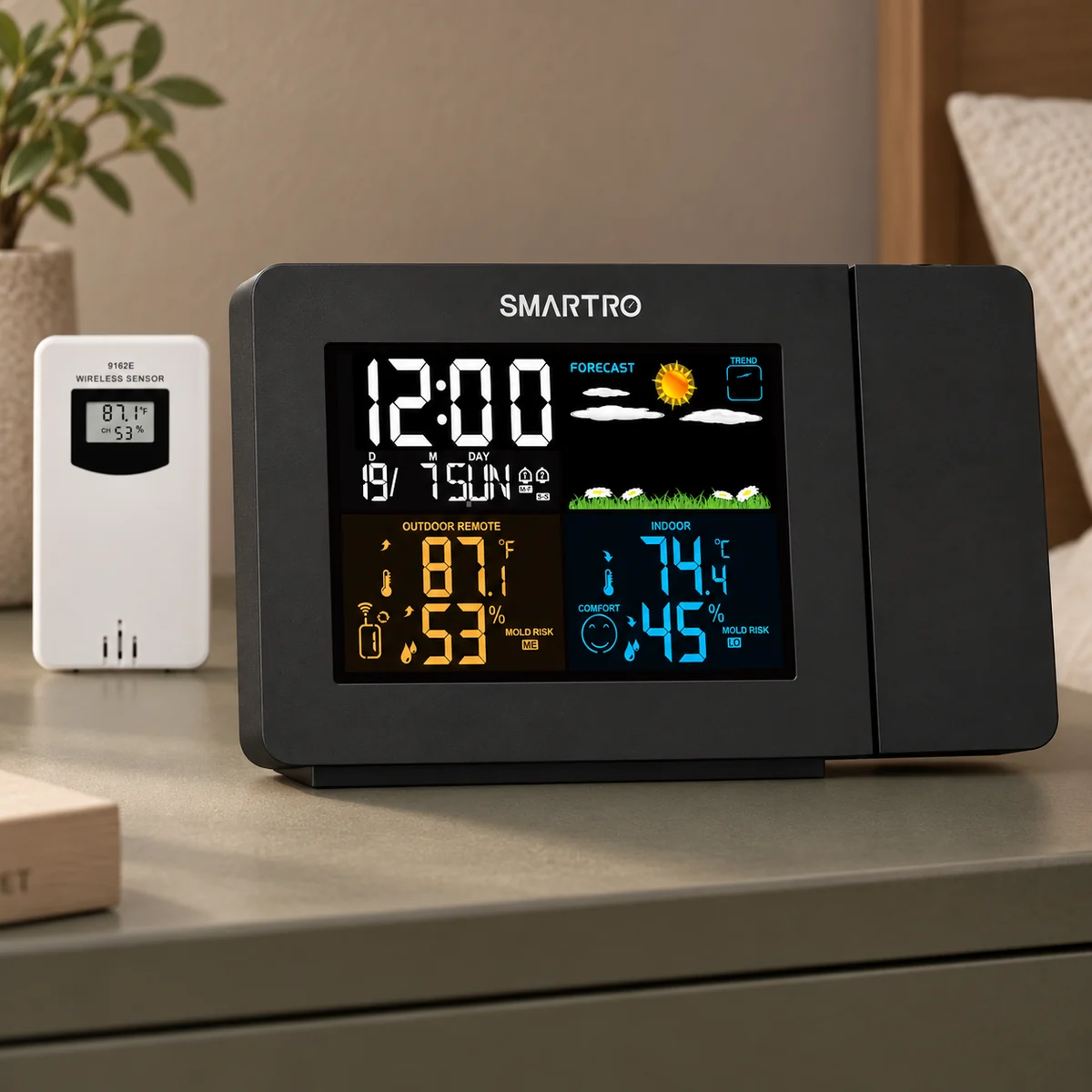
SC31B projects time and temperature while monitoring indoor and remote-sensor conditions, adding forecast icons, dual alarms, color backlighting and USB output.
Bottom line
Choose it when outdoor temperature belongs in the pillow sightline. Skip it when travel size, atomic time, simple controls, continuous battery projection or a calibrated loud alarm comes first.
Independent desk-researched review based on the current product listing, manufacturer material where available, official imagery and linked documentation. No hands-on or laboratory claim is implied.
Direct product link
SMARTRO SC31BConfirm the exact ASIN, current package, seller, power accessories and return terms before ordering.Check price on AmazonCritical boundary
This is the SC31B sensor bundleDo not mix it with the SC31, SC91 or indoor-only SMARTRO projector; the remote sensor changes setup and troubleshooting.See the boundaryCompare the need
Projection alarm clocksJudge projection geometry before secondary weather features.Open the buying guideRelated Clock Guides
A feature matters only when it solves the morning, room or accessibility problem that brought you here. These routes keep the comparison tied to that requirement.
Quick Verdict
The SMARTRO SC31B combines two product types: a projection alarm clock and a compact indoor/outdoor weather station. It projects time and temperature, receives outdoor readings from a wireless sensor, shows forecast symbols, offers two alarms, changes the display backlight among eight colors and provides a USB output for bedside charging. That combination is useful when the first morning decision is practical—what time is it, and how cold is it outside?
The combination also creates more setup than a simple projector. The clock, remote sensor, power adapter, time settings, projection focus and sensor channel all have to agree. Forecast icons are calculated from local pressure trends rather than downloaded from a professional weather service. The outdoor reading represents the sensor’s location, which can be distorted by direct sun, rain exposure, a hot wall or poor radio placement.
SMARTRO markets dual alarms, an adjustable 180-degree projector, eight backlight colors and a USB charger. It does not establish atomic time, app control, Bluetooth audio or a calibrated loudness suitable for every heavy sleeper. Continuous backlight and projection require external power; batteries support selected clock functions rather than turning the device into a fully illuminated portable station.
Choose SC31B when time and outdoor temperature belong in the same ceiling sightline and the owner is willing to install a remote sensor carefully. Skip it when the goal is simple travel operation, atomic synchronization, a minimal dark display or a high-output accessibility alarm. It is a strong information clock, not the simplest alarm.
Product Identity
SMARTRO sells several projector clocks with names such as SC31, SC31B and SC91. Retail titles can shorten or combine them. This review covers SC31B, the indoor/outdoor sensor bundle represented by Amazon ASIN B07CJ2ZNLK and the manual indexed for that model. A clock without the supplied remote transmitter cannot deliver the same outdoor-temperature workflow.
The B suffix and sensor image should be checked at checkout. Confirm the main display layout, projector shape, adapter and transmitter. Do not borrow sensor-channel instructions from a weather station that merely looks similar. The pairing sequence, button names and supported range can change across revisions.
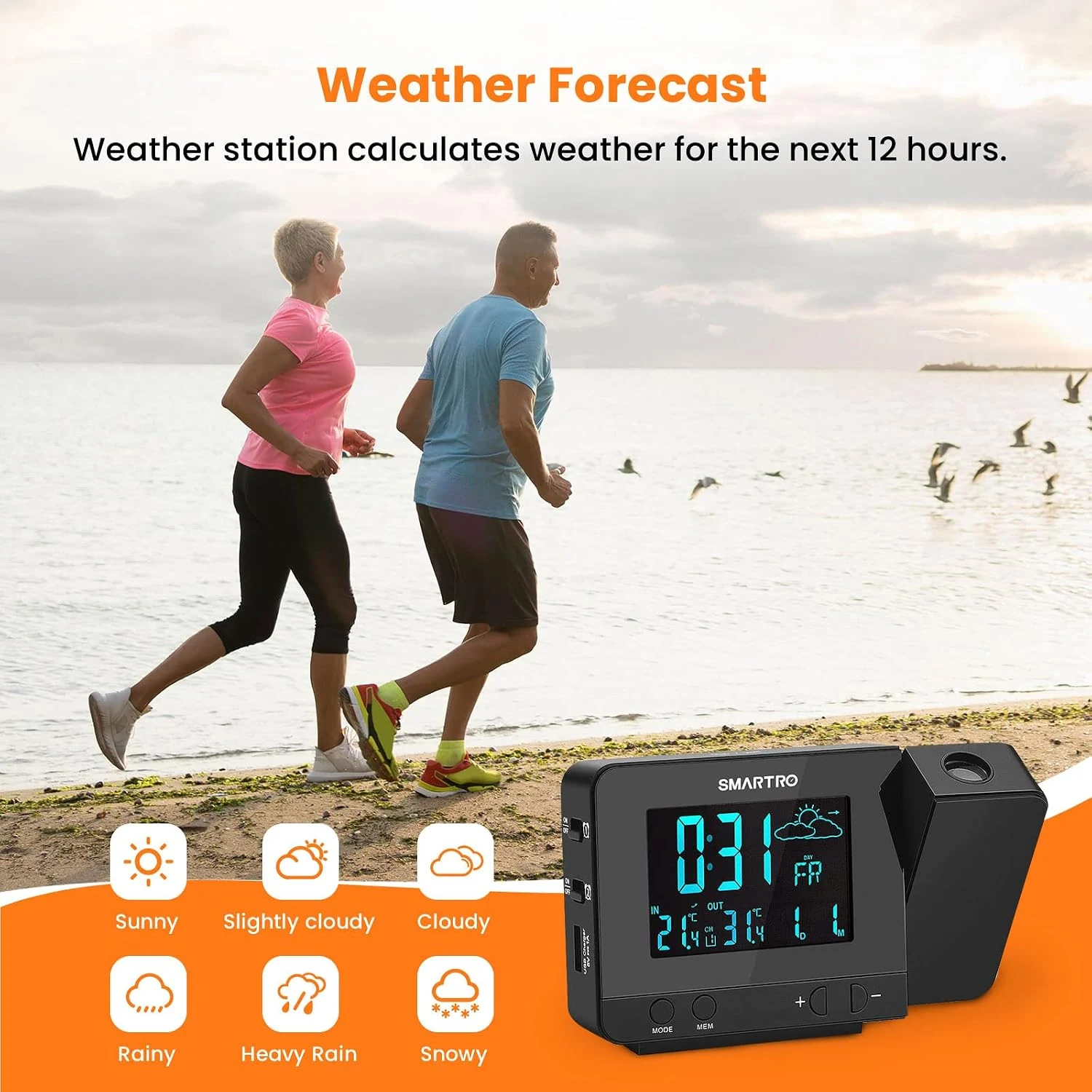
The forecast is a local trend estimate. Consumer weather stations infer symbols from barometric pressure behavior; they do not replace National Weather Service warnings, radar or a location-aware forecast. A sun icon is not a safety promise. Use the clock for bedside context and authoritative services for hazardous-weather decisions.
This is an independent desk-researched review. TOPCLOCKS did not calibrate the sensors, measure wireless range, verify USB output under load or test projection brightness. The article separates documented controls from room-specific performance so the buyer knows what to rehearse.
Ceiling Readability
SC31B’s projector places time and temperature on a wall or ceiling. The practical advantage is immediate context without turning toward the main display. The useful image must be focused, correctly rotated and readable from the normal pillow position. A product shot cannot establish those conditions for a particular bedroom.
Begin with a smooth, light surface. Textured ceilings scatter digit edges, dark paint absorbs red light and long distance softens focus. Aim the projector while lying down, then use rotation or flip control to correct orientation. A view that reads correctly from the doorway can be upside down in bed.
The weather value in the projection should be identified during setup. Depending on the selected mode, a user may expect outdoor temperature and see indoor data, or wait for automatic alternation. Verify the manual’s indicator and let the remote sensor establish a stable connection before judging accuracy.
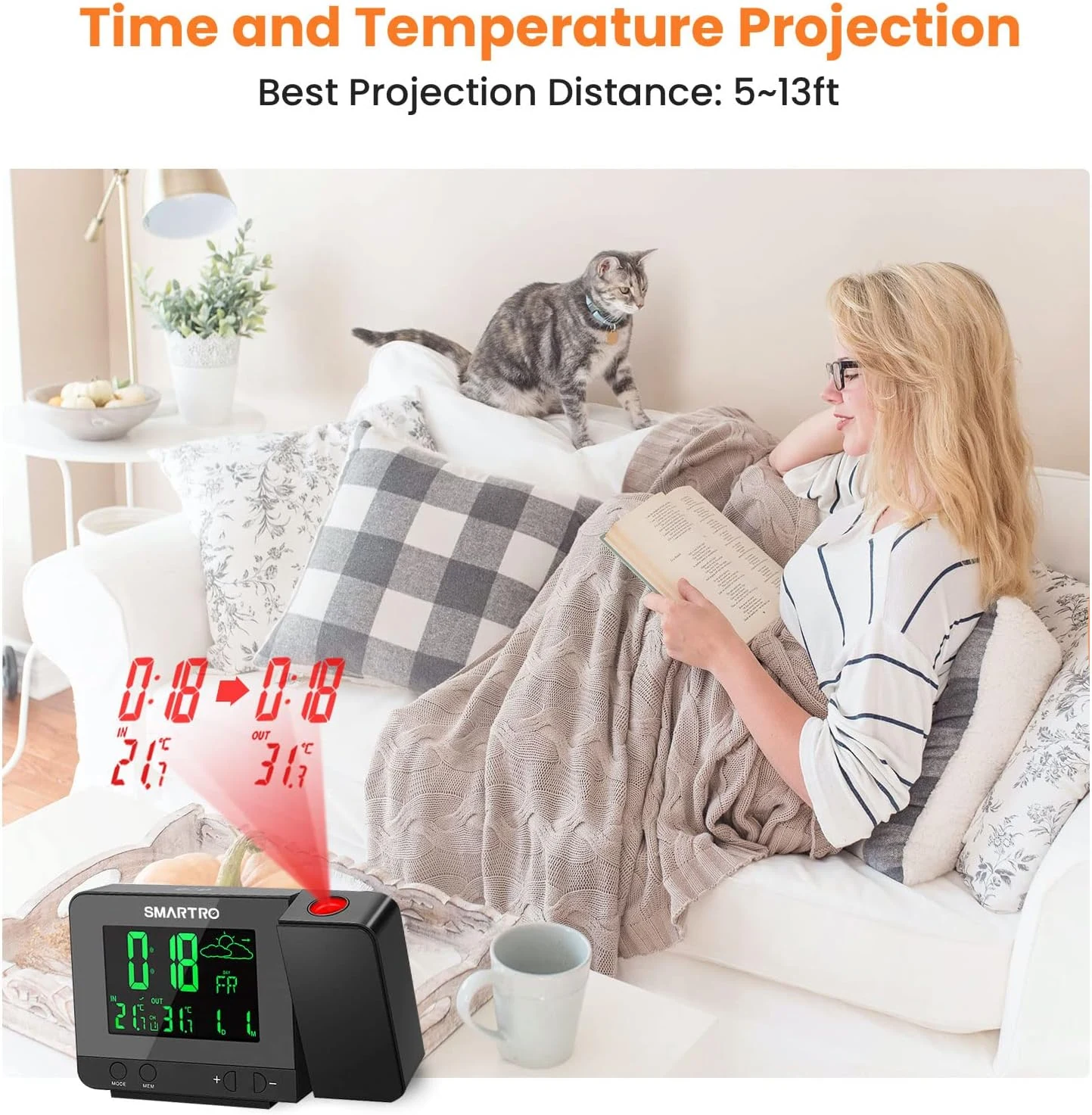
Projection is most legible in darkness. During daytime, the main color display carries the information. Buyers who need a bright daytime wall projection may be disappointed by any compact red projector. The correct comparison is convenience at night, not television-like visibility in sunlight.
Outdoor Measurement
A wireless sensor solves a real morning question: whether outdoor conditions differ enough to change clothing, heating or a commute. It does not measure an abstract city temperature. Direct afternoon sun can overheat the enclosure, a wet exposed location can damage or distort it, and mounting against a warm wall can bias cold-night readings upward.
Choose a shaded, ventilated, protected position away from exhaust vents and metal barriers. Keep it within the documented radio range, remembering that walls, foil insulation and appliances reduce ideal open-air distance. Pair the sensor near the base station first, then move it outside. This separates a channel problem from a range problem.
Give the transmitter and base time to stabilize after batteries are installed or the sensor is moved. Compare readings side by side indoors before outdoor placement. A small difference between two consumer sensors is normal; a large persistent difference suggests battery, channel or hardware trouble. The purpose is consistent local context, not laboratory certification.
Battery condition affects radio transmission before the main clock necessarily looks wrong. Replace the transmitter batteries on a conservative schedule and after extreme cold if readings disappear. Use the specified chemistry and observe polarity. Keep spare batteries nearby without storing them in heat or moisture.
Weather Dashboard
The color display presents time, indoor and outdoor conditions plus a forecast symbol. That density can replace a separate bedside thermometer. It can also become visually busy in a dark room. Start with one neutral backlight color and the lowest comfortable brightness. Treat color as legibility and mood, not as an extra feature to cycle every night.
Forecast icons represent pressure trends learned over time. They may need an initial calibration period and can differ from a phone forecast because the phone uses regional models while the clock observes one local pressure path. Use the icon to notice a trend, then check an authoritative forecast when weather affects safety or travel.
Indoor humidity and temperature, where shown for the exact revision, can help identify a very dry or hot bedroom. They are not medical advice and do not automatically control a humidifier. Position the base away from the sleeper’s breath, direct sunlight and an HVAC vent. A reading beside warm electronics may not represent the center of the room.
The display and projector are separate light sources. Evaluate each after the room has been dark for ten minutes. A comfortable ceiling projection can coexist with an overly bright color panel. If the main display cannot be reduced enough for the sleeper, angle it away while preserving button access, or choose a clock with a confirmed display-off mode.
Alarm and Charging
Two alarms can serve different partners, weekday and weekend times, or a primary and backup schedule. Confirm what recurrence options the SC31B manual provides; “dual” refers to two stored alarm times, not necessarily two independent seven-day calendars. Give each alarm a stable role and check its icon before bed.
The audible signal should be tested from the normal pillow position with room noise present. No independently verified decibel rating in the reviewed material proves that SC31B will wake every deep sleeper. If ordinary beeps have failed before, the added weather information does not solve the wake pathway. Add vibration or choose a documented high-output alarm.
The USB port can reduce cable clutter, but a generic charging output should not be advertised as a modern fast charger unless the exact current and protocol are specified. Use it for routine overnight charging after checking the manual. A high-demand phone or tablet may charge more slowly than with its own adapter.
Snooze must be learned physically. With projection, color and weather buttons nearby, the top surface can be crowded. Practice starting, snoozing and canceling both alarms in daylight. A user who cannot distinguish controls by touch may be better served by a simpler clock.
Power Path
Continuous color backlight and projection consume more energy than a simple memory circuit, so SC31B relies on its adapter for normal illuminated operation. Batteries should be understood as backup for time and alarm data according to the exact manual. They are not evidence that the clock can project all night on a trip.
Run a short outage test after setup. Install fresh specified batteries, schedule an alarm a few minutes ahead and disconnect mains power. Note which display elements go dark, whether time continues and how the alarm behaves. Restore power and verify sensor reconnection. This one rehearsal resolves more uncertainty than a marketplace phrase such as “battery backup.”
The outdoor transmitter has its own batteries and failure path. The base clock can retain time while outdoor readings disappear. Treat the two power systems separately. A low transmitter battery should not be mistaken for a failed base station or a radio-channel problem.
When traveling, assume adapter operation and verify voltage and plug requirements. The size, separate sensor and setup sequence make SC31B better for a fixed bedroom than a hotel bag. A small battery travel clock is the cleaner choice when outdoor measurement is irrelevant.
Reliability Check
Unpack the base, adapter and exact remote sensor. Install batteries in the order described by the manual, select one matching channel and pair the devices side by side. Confirm that indoor and remote values are distinct. Only then move the sensor to a shaded, weather-protected location.
Set time, date, time zone if applicable and both alarm roles. Aim and focus the projector from the pillow, verify which temperature it shows and correct orientation. Choose one display color and dim it in the dark. Set an alarm ten minutes ahead, let it sound, snooze and stop it.
Test USB charging with the normal phone while the clock, display and projection are active. Watch for unusually slow charging or instability. Then run the brief power-loss rehearsal. Restore mains power, wait for the remote reading and confirm both alarms remain correct.
Use a separate backup alarm until several real mornings have succeeded. After a week, review whether projection, weather and color are genuinely used. If the owner checks only the time and struggles with controls, the feature density is not an advantage.
Alternatives
| Need | SC31B fit | Better route when it fails |
|---|---|---|
| Projected time plus outdoor temperature | Strong with correct sensor placement | A larger dedicated weather station for deeper data |
| AM/FM radio | No tuner established | Magnasonic EAAC601 |
| Atomic synchronization | Not established | A WWVB-enabled La Crosse projection clock |
| Minimal interface | Weak; display is information-rich | A basic Mesqool-style projector |
| Fast phone charging | USB convenience only unless output proves otherwise | A clock with explicit USB-C PD specification |
| Heavy-sleeper alarm | Ordinary sound, no measured output | A shaker or documented loud alarm |
Magnasonic EAAC601 is the better analog for someone who wants radio and projection but does not need outdoor data. A La Crosse model with WWVB reception suits a buyer who values automatic time correction. A simpler Mesqool projector reduces sensor setup and display density. SC31B earns its place when the outdoor transmitter changes a real morning decision.
Do not choose based on the largest number of display icons. Choose the information that will be checked from bed, the alarm signal that will actually wake the sleeper and the power path that survives the relevant failure. SC31B is coherent when all three include weather; otherwise it is more system than necessary.
Final Verdict
SC31B is a credible replacement for a projection clock that should also answer an outdoor-temperature question. It offers a distinct advantage over a basic clock, plus two alarms and charging convenience. The recommendation depends on correct entity matching, shaded sensor placement, dark-room projection setup and an outage rehearsal. Buyers who want atomic time, radio or a very simple interface should choose the specialized alternative rather than forcing SC31B to be every kind of clock.
FAQ
The SC31B bundle reviewed here includes a remote transmitter. Confirm the sensor, adapter and exact model in the current offer.
It projects time and temperature. Use the manual to select the desired value, rotate orientation and focus from the pillow.
WWVB atomic synchronization is not established for this exact model. Set and verify time according to its manual.
Icons are local trend estimates derived from sensor data, not a replacement for an official weather forecast or warning service.
Do not assume so. Normal illuminated operation depends on the adapter; batteries support only documented backup functions.
Yes, two alarm times are advertised. Confirm recurrence and source behavior in the exact SC31B instructions.
USB charging is provided, but no current fast-charging protocol should be claimed without an exact output specification.
Use a shaded, ventilated, weather-protected location away from hot walls, vents and major radio barriers.
No. Similar SMARTRO models can differ in sensor bundle and controls. Match SC31B and ASIN B07CJ2ZNLK.
Editorial Notes
This independent assessment uses the exact retail entity, available SMARTRO support material and the SC31B manual reference. It does not claim hands-on ownership, calibrated sensor accuracy, measured radio range, measured alarm output or forecast certainty. It establishes the sensor and projection workflow, power boundary, USB caveat and tests that convert listing claims into room evidence.
Primary Sources
Sensor bundle, current packaging and availability can change. Verify the SC31B identifier and supplied manual before purchase.